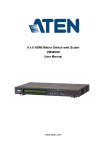
1
Chapter 3. Operation
Enter Password
If the VM0808 has been configured to require a password for operation (see
Security Mode, page 20), the password screen appears when the unit is
accessed for operations, and the first digit flashes. Enter a 4-digit password to
continue to the Main Screen.
Note: If you are accessing the VM0808 for the first time, the default password
is 1234.
MENU
ESC
PROFILE
ENTER
OUT
IN
Enter Password: 0000
To enter a password, do the following:
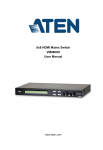
1. Turn the front panel OUT dial left or right to move the cursor position.
2. Turn the front panel IN dial left or right to cycle through the numbers.
3. Press and Release the OUT, IN, or ENTER pushbutton to confirm the
password and continue to the Main Screen.
Note: 1. If you enter an incorrect password, re-enter the correct password
over the incorrect string.
2. If Password Required (see Password Settings, page 20) is
enabled, the time-out is 5 minutes.
13