1
CROSSFADE
Allows a smooth move from the present to the next cue. Using the DMX-512 protocol feature of
44 packet/second data transfer capability, a crossfade is just a very fast sequence of lighting states in the appropriate
sequence to let the eye perceive a smooth, continuous light change.
Go (crossfade)
Key: " G ", « Space Bar »
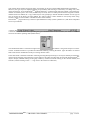
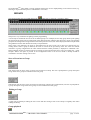
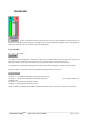
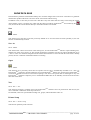
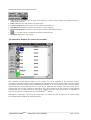
A crossfade is started clicking the « Crossfade » button in the crossfade window at the top right of the screen. This
plays back on board (on Preset A) the scene present on Preset B in the time in-out stored in the cue.
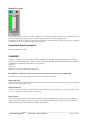
During crossfade, a couple of green/red bars is used as a graphical display of the Preset A/B evolution.
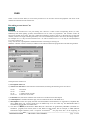
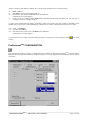
A Crossfade may be interrupted clicking the same button, whose label is changed to « Pause » during crossfade.
During crossfade, it is possible to modify the predefined timing parameters in four ways:
Clicking "/" a crossfade is terminated stopping at the present level
Clicking "»" a crossfade is immediately anticipating at the final
predefined time
Clicking "+" accelerates the crossfade execution
Clicking "-" decelerates the crossfade execution
level without waiting the
When crossfade is terminated, ProSceniumDMX updates the number of active cue and it is ready for the next effect.
________________________________________________________________________________________
©Martin ProSceniumDMX - UK Version 7 User’s Manual page 21 of 35