1
2.7. Options menus
Options menus contain tools that apply to specific items
on the screen. You can open an option by touching and
holding an item on the screen. Not all items have options
menus.
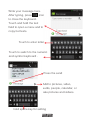
When you touch and hold some items on a screen, an
Options menu opens.
2.8. Menu Icons
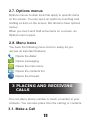
You have the following menu icons to easily let you
access its important features:
Opens the dialer
Opens messaging
Opens the main menu
Opens the contacts list
Opens the browser
3 PLACING AND RECEIVING
CALLS
You can dial a phone number or touch a number in your
contacts. You can also place from the call log or contacts.
3.1. Make a Call
11