1
Important Notes
1
The fingerprint lock is a high-tech product and its installation will impact its operation and
lifetime directly. It is recommended to invite a professional to install the lock according to
the user manual. If the lock can not work after installation, please contact with local
distributor or agency freely for help.
2
If your apartment is under decoration, we recommend that you dismount the product and
re-install it after decoration. The aims are to avoid corrosion of the assembly caused by
corrosive substances in the decoration, which will accelerate the chemical changes on
product’s surface, and avoid the inflexibility of the lock caused by wet paint.
3
After installation and adjustment, please clear all fingerprints and password in factory
4
Beeps for low battery warnings will be heard if it is in low power. Please replace the
default and enroll your own administration password and fingerprints for security.
batteries timely and correctly.
5
If you are to be away for several days, or the lock does not need to work for a long time,
please take along with your mechanic key and remove the batteries.
6
For user who has difficulty to enroll his fingerprint due to poor fingerprint quality, he is
recommended to enroll with his thumb, and enroll over two fingerprints to improve the
rate of successful fingerprint acquisition.
7
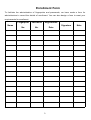
The fingerprint template capacity is 100, while password capacity is 5 groups. Please
save new users' detailed information in Registration Form below for convenience of
management.
8
Factory default: password is 0+12341234 but no fingerprint is included.
9
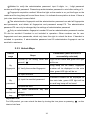
Signals and LED light: For every successful operation, long beep will be heard once and
the green LED light will flash once; but when it fails, short beep will be heard for twice, the
red LED will flash once and then exit.
10
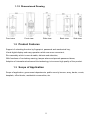
This user manual is applicable for U series products. U30 has been taken as the example
in figures and installation instruction in this manual.
2