1
Table of Contents
Introduction 6
Welcome to RxViewX ...................................................................... 6
RxViewX key features................................................................. 6
Support 7
Getting Started .................................................................................... 8
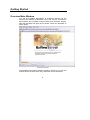
Overview Main Window ................................................................... 8
Menu items 9
File menu ......................................................................................... 9
Edit menu ......................................................................................... 9
View menu ....................................................................................... 9
Markup menu ................................................................................. 11
Tools menu .................................................................................... 12
Standard Toolbar .............................................................................. 13
The Standard Toolbar Buttons....................................................... 13
Open Button .............................................................................. 13
Close Button ............................................................................. 13
Print Button ............................................................................... 13
File Information ......................................................................... 13
Zoom All 13
Zoom 1:114
Zoom In Button ......................................................................... 14
Zoom Out Button ...................................................................... 14
Zoom Width .............................................................................. 14
Zoom Height ............................................................................. 15
Zoom Window Button ............................................................... 15
Pan Hand Button ...................................................................... 15
Rotate Button ............................................................................ 15
Toggle Background Color Button ............................................. 15
Page Down Button .................................................................... 16
Page Up Button ........................................................................ 16
3D Rotate Button ...................................................................... 16
Reset Model Button ................................................................. 16
WireFrame ................................................................................ 16
Remove hidden lines ................................................................ 17
Enable clipping ......................................................................... 17
Show Clip Plane ....................................................................... 17
Set Cross-Section ..................................................................... 17
2