1
Citronic Limited User Manual
20
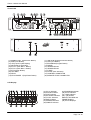
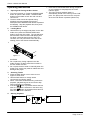
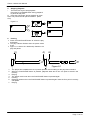
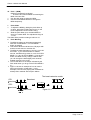
Remote Start
Via the Control socket, the respective CD player
can be remotely controlled. If you are using a
mixer with fader start-function connect the player
with the Control Out-socket. Please note that
these sockets must never be connected with any
voltage.
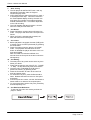
21
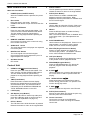
PLAY Indicator
The PLAY indicator lights during play mode.
22
PAUSE Indicator
The PAUSE indicator lights during pause mode.
23
CUE Indicator
The CUE indicator lights during CUE mode or
PAUSE mode, flashes when CUE point is
changed.
24
ELAPSED Indicator
It indicates that the time shown on the display is
the elapsed time.
25
TOTAL Indicator
It indicates that the time shown on the display is
the TOTAL REMAIN time of playing back.
26
BAR Indicator
These ten indicators provide a visual display of
the approximate position of the pickup within the
current track.
27
REMAIN Indicator
It indicates that the time shown on the display is
the remaining time of playing track.
28
SINGLE Indicator
When the indicator lights, playback will stop at
the beginning of the next track.
29
PROGRAM Indicator
The PROGRAM indicator lights when program
mode is set.
30
PITCH Indicator
When the indicator lights, The pitch adjustment is
enabled.
31
A-B Repeat (LOOP) Indicator
When in A-B Repeat mode, the indicator lights.
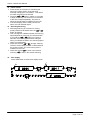
32~35 TRACK, MINUTE, SECOND and FRAME
Displays
These displays indicate information on the CD’s
current position and time.
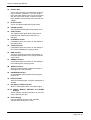
36
PITCH Display
It shows the BPM change range, the BPM
changes within a range of +/-10%.
Page 9 of 18