1
MV-D640 User’s Manual
4
Functionality
This chapter serves as an overview of the camera configuration modes and explains
camera features.
4.1 Image Acquisition
4.1.1 Free-running and Trigger Mode
By default the camera continuously delivers images as fast as possible ("Free-running
mode").
When the acquisition of an image needs to be synchronised to an external event, an
external trigger can be used (refer to Sections 4.6 and 5.1.4). In this mode, the camera is
idle until it receives a signal to capture an image.
4.1.2 Exposure Control
The exposure time defines the period during which the image sensor integrates the
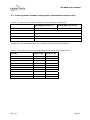
incoming light. Refer to Table 2 for the allowed exposure time range and see Section 5.2.
4.1.3 Maximum Frame Rate
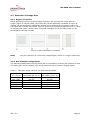
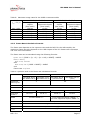
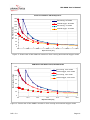
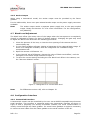
The maximum frame rate depends on the exposure time and the size of the image (Region
of Interest ROI, see Section 4.5). Depending on the exposure time and ROI size, the
sensor is configured automatically in interleaved or non-interleaved mode (see Sections
4.1.4 and 4.5).
4.1.4 Sensor Read-out Mode
For an exposure time smaller than the read-out time, the sensor is operated in noninterleaved mode. To further increase the frame rate, the sensor is operated in interleaved
mode when the exposure time is longer than the read-out time.
Note:
The camera chooses the most advantageous mode (interleaved / noninterleaved) automatically without user-intervention.
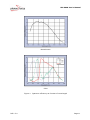
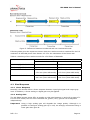
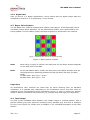
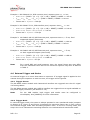
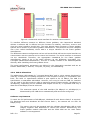
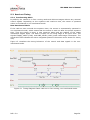
Interleaved mode integrates an image while reading out the last image (see Figure 2) and
does therefore increase the maximum frame rate.
Important: In external trigger mode, the camera will always be configured automatically
in non-interleaved mode.
REV: 2.0
Page 13