1
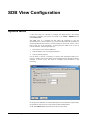
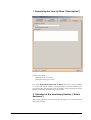
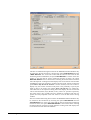
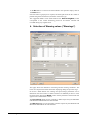
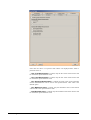
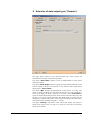
For each Sensor, the Measurement is displayed with respect to the value
recorded during a reference Session. If the option First Session is selected
from the "Reference Session" zone this, the first hierarchical recorded
monitoring Session from the SDB Measurement database is used as the reference
Session. If the user wishes to refer the Sensor Measurements to a monitoring
Session of choice, the option Selected Session is first chosen from the
"Reference Session" box before selecting the desired Session with the aid of
the adjacent scrolling menu which displays the list of Sessions stored within the
SDB file.
If the user wishes to include Measurement Sessions tagged with the option
Forget in the SDB Measurement file, then the option Include Forgotten
Sessions should be selected.
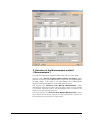
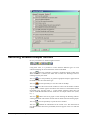
3. Selection of Sensors or data fields to display
(“Select Fields”)
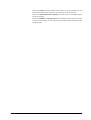
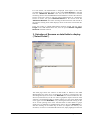
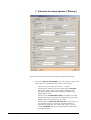
This third page allows the selection of data fields, as defined in the SDB
Measurement file, which are to be displayed in tabular or graph format. The
field designated by the first line of the Selected box will be considered as the
abscissa (horizontal axis) in the case where a graphical output is desired. Field
selection is accomplished either by double clicking over one of the fields listed
in the upper box titled Available, or by selecting the field and clicking on the
arrow . The printing order of the selected fields in either tabular or graph
format may be modified by highlighting the field in the lower Selected box,
and then clicking on the button Up or Down (to displace the field by one
increment). To remove a selected field from the list, simply highlight it and click
SOFO SDB User's Manual
Defining a View • 17