1
Networked
Robotics
Page 3 of 90
Tempurity System User’s Guide
Tempurity-04-0006.5
Server Stopped ....................................................................................................................................32
Starting and Stopping the Tempurity Server using the Taskbar ...........................................................32
Starting and Stopping the Tempurity Server using Windows................................................................33
The Tempurity Server Configuration Utility ............................................................................... 34
Configuring Monitored Devices ............................................................................................................35
Custom Monitored Device Types .........................................................................................................38
Configuring the Server Identity .............................................................................................................40
Enabling E-mail and Text Message Alarm Notifications .......................................................................40
Testing the Ability to Send Mail ............................................................................................................41
Microsoft Exchange Servers and Testing the Ability to Send Mail........................................................42
Using Gmail as your Alarm Notification Mail Server .............................................................................42
Enabling Voice Alarm Notifications.......................................................................................................43
Editing Tempurity Server Configuration Files Manually ........................................................................44
Configuration Histories and Restoring Previous Configurations ...........................................................44
Setting the Windows Options on your Tempurity Server Computer ......................................... 45
Tempurity System Data............................................................................................................. 45
Measurement Interval...........................................................................................................................45
Time of Data Collection ........................................................................................................................45
Units .....................................................................................................................................................46
Location................................................................................................................................................46
Data Retention .....................................................................................................................................46
Data Backup.........................................................................................................................................46
Accuracy...............................................................................................................................................46
Value Alarms ........................................................................................................................................47
Communication Alarms ........................................................................................................................47
The Tempurity Monitor Client ...................................................................................... 49
Distributed Alarm Notification.................................................................................................... 49
Dedicated vs Shared Use Computers as Tempurity Monitors .................................................. 49
Running the Server and the Monitor on the Same Computer................................................... 49
Downloading and Installing ....................................................................................................... 49
Starting the Tempurity Monitor.................................................................................................. 53
Stopping the Tempurity Monitor ................................................................................................ 53
Connection Status to the Tempurity Server .............................................................................. 54
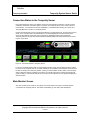
Main Monitor Screen ................................................................................................................. 54
Alarm Status Icons ...............................................................................................................................56
Alarm Window ........................................................................................................................... 57
Monitored Device Information Window ..................................................................................... 57
Graphs....................................................................................................................................... 58
Exporting Data to Other Applications ........................................................................................ 61
Statistics .................................................................................................................................... 62
Alarm Notifications .................................................................................................................... 63
Defining an Alarm Notification Group ...................................................................................................64
Choosing Alarm Notification Types and Entering Alarm Notification Addresses ..................................65
Test Alarm Notifications........................................................................................................................66
Alarm Notification Groups are Mapped to the Tempurity Server for which they were Created.............66
Alarm Notification History .....................................................................................................................66
Storage and Transfer of Alarm Notification Groups ..............................................................................66
Monitor Restart.....................................................................................................................................67
E-mail to Text Gateways ......................................................................................................................67
Time Delay in Receiving Alarm Notifications ........................................................................................68
Monitoring Multiple Tempurity Servers from a Single Computer .............................................. 69
Regional Versions of the Tempurity Monitor............................................................................. 70
Copyright ©2010 Networked Robotics Corporation. All rights reserved.
1.12.2010