1
c.
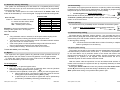
2.2 Disarming
On the keypad - enter your user code
On the remote control (RC-4x) – press the
•
button
•
system will beep twice
•
if there are 3 beeps, important information is indicated and will
be displayed on the keypad. Examples:
o FAILURE LED is flashing – press the N key to view the cause
o ALARM LED and zone number is flashing = alarm in the memory.
Be careful and check the house.
•
if you enter the premises when the system is armed, the entrance delay
countdown will start after you trigger a delayed detector (ARM LED will
flash and beeps will sound if programmed so*).
•
•
•
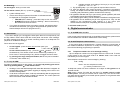
multiple pressing and holding of the keys (2 or 3) will switch the
bypass on – off – on – off …
4. By repeating step 3. you can bypass all required alarm sources.
To close the Bypass menu press the N key. If anything is bypassed when
arming, four beeps will sound and b will be displayed on the keypad during the
exit delay (and partial arming will be recorded to the memory).
All bypasses selected with key 2 (next arming period bypasses) will switch off
automatically with the first following disarming.
The existing bypass setting can be checked or modified in the bypass menu.
All bypasses can be deleted by key 4 in the bypass menu. They can also be
deleted by the programming mode opening or if the control panel is
disconnected from the power completely (AC & back up battery).
To exit user mode press N.
4 Digital communicator
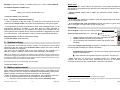
2.3 Panic Alarm
4.1 JA-60GSM Dialer module
If you are in danger you can trigger the silent panic alarm to inconspicuously call
for help. While in Panic alarm mode the control panel can send a voice message,
an SMS message and data to a central monitoring station via a telephone line
(depends on installation settings).
If the control panel is equipped with a JA-60GSM communicator, please look at
the JA-60GSM user manual for details about user’s setting.
Panic alarm can be triggered:
If the control panel is equipped with a JA-65X telephone communicator and if
the installer enabled the supervisor to modify the communications settings, only
then will the following programming be possible.
•
On the keypad - press the panic key and then enter your
access code.
and
buttons
On the remote control (RC-4x) - press the
simultaneously. The remote control can be switched (by installer) to a
Panic mode, in which pressing of any button will trigger the Panic alarm.
•
By pressing this large sized panic button, the RC-22 (can be installed
on the wall, under a desk etc.).
2.4 To stop ALARM
•
Sending of voice and SMS messages will cease after the alarm is stopped. All
corresponding report codes (alarm triggering & stopping) will be sent to the
central monitoring station.
If user does not stop the alarm, it will stop automatically after the programmed
period and the alarm memory indicator will activate. The control panel will
return to the same mode as before the alarm.
Alarm system JA-63 „Profi“
4.2.1
Telephone numbers for voice message sending
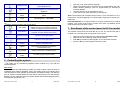
Up to 4 telephone numbers can be programmed in the user mode. To switch the
control panel to the user mode enter F 0 master code. User mode will be
indicated by a U on the keypad.
Store telephone numbers for voice message by entering:
7 xx... xx F y
If an alarm is triggered when you are present, you can stop it by entering your access
on the remote control.
code or by pressing button
•
4.2 JA-65X Telephone communicator
-6-
MGK51503
where xx...xx = telephone number
y = memory number from 1 to 4
A telephone number can have a maximum of 16 digits. A dialing pause can be
entered with F0
Note: enter a pause (F0) after the last digit of a number, which is calling a
mobile phone. This way the number will be called only once and the dialer will
not check the line signals (some mobile phone systems do not generate standard
telephone line signals).
Alarm system JA-63 „Profi“
- 11 -
MGK51503