1
Introduction
Goals: This workflow describes necessary and recommended procedures for inverting magnetic (or gravity) survey data to obtain 3D models of
subsurface magnetic susceptibility (or density) distributions. Ground-based, airborne or borehole data can be inverted. The goal is to produce a
reliable initial inversion result, then to generate alternative results to explore the range of feasible models, given the data, it's accuracy, and
alternative information.
The emphasis is on inversion of magnetic data, and examples are from magnetic surveys. However, the essential procedures are nearly identical
for gravity data, and differences are noted in the text.
Throughout the workflow, Click
/
icons to expand / contract sections. Or, read all eight sections of this workflow in one PDF
.
Expand All | Contract All
Using the workflow
The three-column layout
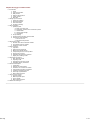
The Outline menu (left) lists the eight essential steps of a geophysical inversion workflow.
This middle Details column presents aspects to be considered in each step.
The Why, or examples column will contain explanations or examples opened using links that have the
Links with this
icon open in a new window.
icon.
Features
A one page workflow outline .
A printable workflow checklist .
Resize columns 2 & 3 by dragging their border.
Real and synthetic data sets provide examples.
For data and constrained versions of inversion codes see below.
Many figures are interactive using mouse-over or radio-buttons.
A summary of file formats is available.
References, manuals and other resources are listed to the right under "Why, or examples ".
Best practice
General recommendations for inversion and modelling using UBC-GIF codes include the following:
Running codes: UBC-GIF codes can be run from the command line but for individual inversions it is easier to use the GUI .
File names: Good practice involves using file and directory names that have no spaces. If there are spaces, specify complete path names
to all files and surround the path name with quotes. For example, file for mesh could look like "D:\gif\workflows\example1\fdmesh.dat",
including the quotes.
Keeping results separate: For each new inversion run, results should be saved in a new subdirectory because names of files generated
by UBC-GIF codes are fixed.
Keeping a log of inversion runs: It is usually helpful to keep a running log (document) listing all inversion runs carried out for a project,
perhaps with a standard format such as the one illustrated here. A spreadsheet can be used, or tables in a wordprocessing document.
Current versions of utilities: It is advisable to occasionally check the UBC-GIF website for updated utility codes (gm-dataviewer,
meshtools, GUI) and documentation.
Relevant assumptions
Details about topography should be know if it is significant, but a "flat earth" can be assumed if necessary or appropriate.
Problems NOT suitable for 3D inversion of potential fields data (magnetics or gravity) include characterization of discrete buried objects, and
investigations of essentially layered Earth situations.
MAG3D carries out inversion assuming the susceptibilities are "small", or that there are no self-demagnitization effects. It also assumes there
are no remanent magnetization effects. The Earth's magnetic field inclination, declination and field strength (I, D, F) at the location where data
were acquired is also required. Also, "host rocks" are assumed to be non-susceptible, so all targets will have positive susceptibility. That means
data must be zero where there are no susceptible rocks. See also "Data preparation".
GRAV3D assumes densities are "density contrasts" because data are assumed to be 0.0mGals if there are no anomalous features in the ground.
This means data reduction and removal of regional effects is very important. See "Data preparation".
Codes needed
Manuals for all codes are available in the user manuals for Mag3D or Grav3D.
Executables
Description
Magnetics
Gravity
mag3d-gui.exe
grav3d-gui.exe
magsen3d.exe
gzsen3d.exe
The graphical user interface
Calculates sensitivities
maginv3d.exe
gzinv3d.exe
Carries out the inversion
magfor3d.exe
gzfor3d.exe
Need only if forward modelling is to be done without inversion.
gm-data-viewer.exe
- This is a mapped data viewing utility
details - introduction
1 of 2