1
Configure UADM2 Software
Configuring UADM2 Software
Configuring UADM2 Software
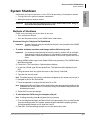
Settings for the communication port in UADM2 must match the corresponding parameters set
in the Stratagy System Configuration file on the GVPH.
For example, the UADM2 PC serial port settings made in the Serial Port field of this
procedure must be identical to the serial port definitions (i.e., set serial_port) set in the
GVPH’s System Configuration file (see “System Configuration” on page 1-5).
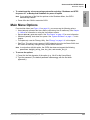
! To configure UADM2 software
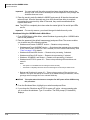
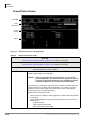
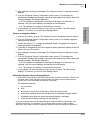
1. From the C:\Uadmin20 DOS prompt, type admin and press Enter. The UADM2
screen displays.
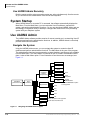
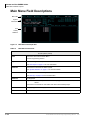
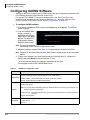
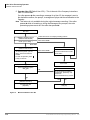
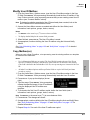
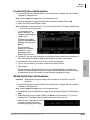
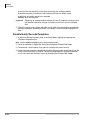
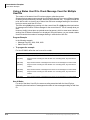
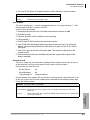
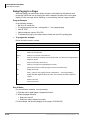
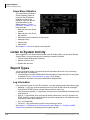
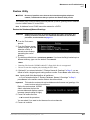
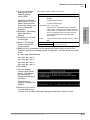
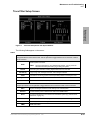
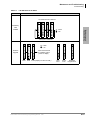
2. From the UADM2 Main
screen, press 2 or
highlight the Configure
Admin option and press
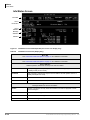
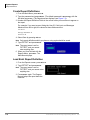
Enter. The Admin PC
Configuration screen
displays (shown right).
Note Press F1 for help with
any settings in the UADM2 Configuration screen.
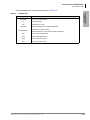
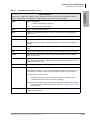
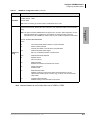
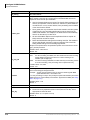
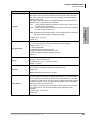
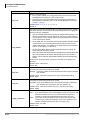
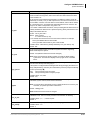
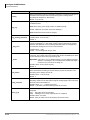
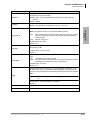
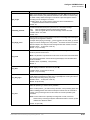
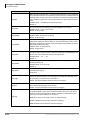
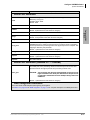
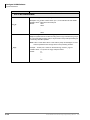
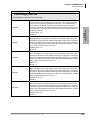
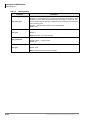
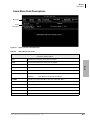
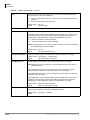
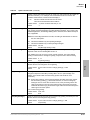
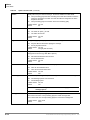
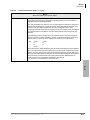
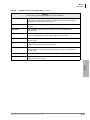
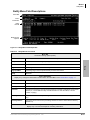
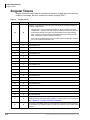
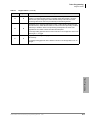
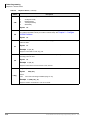
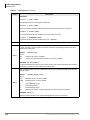
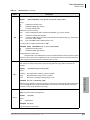
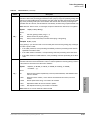
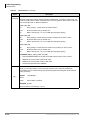
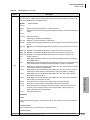
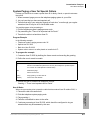
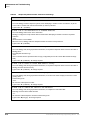
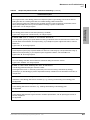
3. Make any changes needed. See Table 2-1 for a description of each of the fields.
Note Press F2 in the Serial Port and Baud Rate fields to display a pop-up box with valid
entries.
4. To save your changes, you must have the cursor in the last field (i.e., Modem Init
String), and press Enter or the arrow down (↓) key
...or to exit without saving your changes, press Esc at any time.
The program returns to the UADM2 Main screen.
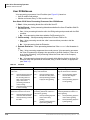
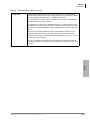
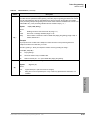
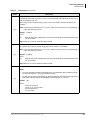
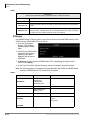
Table 2-1
UADM2 PC Configuration Fields
Field
Description/Default
Advertising string that displays when the Main Menu screen blanks after a specified number of
minutes of inactivity (per tmo_blank parameter in the install.cfg file).
Advertising
Possible values: 60-character string. The single quotes are required.
Default: ‘Strata CIX/CTX Voice Mail Administration’
System log file name. This log file contains connection information, any execution error information,
and file copy actions.
Log File
Note It is a good idea to periodically archive or delete this file once or twice a year, whenever you
perform preventive maintenance.
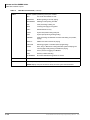
Possible values:
Eight-character file name, plus three-character extension. The single quotes are
required.
Default: ‘Remote.LOG’
Port number
Serial Port
2-2
Possible values:
Default: 1
1~4
Strata CIX40 Voice Processing Programming Manual
7/06