1
ConceptGen
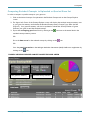
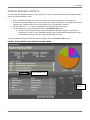
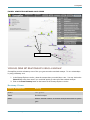
The Concept Detail screen displays: the Concept Type, size of the concept, and the genes (gene symbol and
gene name) associated with that concept.
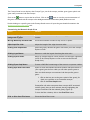
Click on the
button to export the list to Excel. Click on the
button to view the protein interactions of
the genes associated with this concept in the Michigan Molecular Interactions (MiMI) NetBrowser tool.
Double clicking on a specific gene in the Concept Detail screen will open the gene detail information in the
Michigan Molecular Interactions tool.
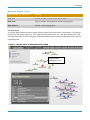
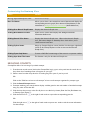
Customizing the Network Graph View
Action
Function
Click and dragging nodes or the
background of graph
Move nodes to desired location; move entire graph to a desired
location
Moving Motion-Stop Threshold slider
Forces the movement of nodes to stop slower or quicker
Adjust Graph Size slider
Adjusts the length of the edges between nodes
Clicking Clear Graph button
Clears the graph; deselects all genes and returns you to the Concept
Explorer screen
Clicking Legend button
Removes or adds the legend describing the node colors
Clicking Explorer button
Brings up Concept Explorer screen (click the X in the upper right hand
corner of the Concept Explorer screen to return to the Network
Graph View)
Clicking Export Graph button
Creates a PNG file format image of the screen in a separate window
Clicking Open Gene Filter button
Opens a screen that includes the Gene Symbols and Gene Names of
your original gene list from which you can select specific genes to
filter out which concepts are associated with that specific gene or
genes.
1. Click on the box next to the gene symbol of the gene(s) for
which you would like to see associated concepts.
2. Click on the Filter Graph button.
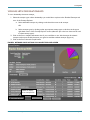
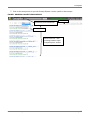
ConceptGen will make transparent those concepts NOT associated
with the gene(s) that you have selected, thereby highlighting the
concepts associated with the selected gene(s) (Figure 6).
To clear the filter selection, click on the Clear Filter button.
Click on Close Gene Filter button
Closes the Gene Filter screen
National Center for Integrative Biomedical Informatics: NIH Grant # U54 DA021519 01A1
Page 17