1
Connecting an External Speaker
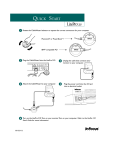
To connect one or two external speakers, plug the speaker cable
into the
(audio out) connector on the projector.
FIGURE 13
Connecting an external speaker
Powering up the Projector and Adjusting the Image
1 Remove the lens cap.
2 Plug the power cord into the side of the projector, then plug it
into your electrical outlet. A surge-protected power strip is
recommended if power surges are common in your area.
NOTE: Always use the power cord
that shipped with the projector.
• The fans turn on and run at low speed. After the projector
has initialized, the Power LED (Figure 18 on page 21) lights
solid green.
3 Turn on the projector by pressing the power button on the
remote or keypad. (You can set the projector to turn on automatically when it is powered on. See “Auto startup” on
page 33.)
• The InFocus startup screen displays.
4 If you connected a video player, turn it on.
• Press the video button on the keypad to display the image
from your video player. (You can select a default source to
determine which source the projector examines first during
power-up for active video; see “Default Source” on
page 32.)
CAUTION: If the lamp LED
remains solidly lit after the projector has powered on, the lamp
needs to be replaced. Refer to
“Replacing the Projection Lamp”
on page 39 for more information.
• Use the volume buttons to adjust the volume.
15