1
Inngenio MP3 Color Player User’s Manual
I. Installing the software
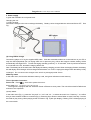
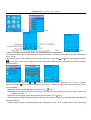
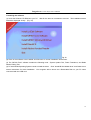
(1) Insert the Software CD-ROM into your PC. Wait for the auto-run command to execute. The installation screen
should be displayed shortly. (Fig. 39)
Fig.39
(2) Click on the software to be installed and follow the on screen installation instructions.
(3) The “MP300 Tools” software contains the following tools: System Update Tool, Frame Transducer, and Radio
Station Editing Tool.
(4) PC with Win98 Operating System needs to install the driver. Click “Install MP300 Win98 driver” and follow the on
screen instructions for driver installation. Your Inngenio will be shown as a Removable Disk on your PC when
connected with the USB cord.
18