1
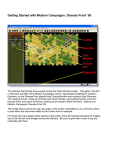
Southeast of your current position; these are the little boxes on the map with a number inside
them. Holding these, along with eliminating the enemy are what you need to win the battle.
The number is the points you earn when you capture the objective. Right now they all belong
to the Iraqis …I’ll come back to those in a minute. If you want more information on objectives,
strength or victory status, click on the “Info" menu at the top of the screen. Also, if you
depress the “Shift” key you will see the label displayed denoting the names of the features on
the map. If you want the names to stay on the map press the Alt key while pressing Shift.
Press Shift again to remove them.
Notice also that you can zoom in or out on the map with the keys "1" (2D Zoom Out) or "2"
(2D Zoom In. Using the Zoom Out option lets us survey the map quicker and get that big
picture. This allows you to be more aware of potential dangers and opportunities. You may
also use the "+" and "-" buttons on the tool bar, or make your selection from the "View" menu.
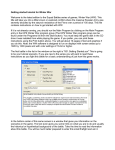
Take a careful look at your forces. Left click on any hex containing units and then look at the
bottom of the screen. I chose the stack on hex 0,1 (you can find your hex numbers in the
bottom right hand corner of the screen), and I see that within that hex I have a variety of
infantry units and equipment.
The hex info area to the right of your units displays the type of terrain your unit is currently in,
the elevation and the visibility range currently active in the scenario. In this particular case we
also see some red arrows on the right side of the display. This lets us know there are more
units in the hex not currently being displayed. The number inside the arrow denotes that there
are 10 currently hidden. These can be more mean, or possibly weapons.
Using this simple procedure you can see information, weapons, status and a lot more on
every one of your units. Right-clicking on the Information bar reveals other information about
your units and especially their weapons such as:
Reliability (Rel): Ranging from A (best) to F (worst)
Range (Rng): Just how far the weapon will reach in hexes
Lethality (Leth): The effectiveness of the weapon
Penetration (Pen): This refers to the weapon’s ability to penetrate an enemy’s protection
When the bar is right-clicked the info in the hex info area also changes, with the number
displayed in the center being the total number of men stacked in the hex along with any
special terrain features that might be present.
3