1
Set Personal Options: stcmd set-personal-options
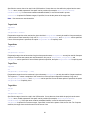
Usestcmd set-personal-options to set and list personal options. At this time, the only personal options that
can be set with this command are:
♦ How file status information will be stored.
♦ Where file status information will be stored, when it is stored at a central location.
File status information is stored in the starteam-client-options.xml file. If no starteam-clientoptions.xml file exists, this command creates it in a default location. The default location is the same as the default
for the central-status option (see below).
Syntax
The syntax for this command is as follows:
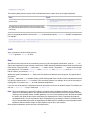
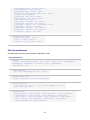
stcmd set-personal-options [-q] [-x] [-stop] [-central-status | -per-folder-status]
[-central-repository "folderPath"] [-list]
Option
Description
-central-repository Enables you to specify a location for the central repository.
-central-status
Indicates that the file status information will be stored at a central location for this user on this
workstation. This location can be set using the Windows or Cross-Platform client, or this command
(see the -central-repository option).
If you do not set this location it defaults to:
For Windows NT, the folder in which the application has been installed.
For Windows XP: C:\Documents and Settings\username\Local Settings\
Application Data\Borland\StarTeam\
For non-Windows platforms: /user_home_directory/.starteam-client/
-per-folder-status
Indicates that each working folder will contain file status information for its own files. The
information is stored in the .sbas folder, a child folder of the working folder. If you move the working
folder, the file status information goes with it.
-list
Displays a list of the personal options as currently set in the starteam-clientoptions.xml that stores them.
Example
The following example uses stcmd set personal-options to indicate that file status information will be stored
in a central location: C:\JMarsh\statusinfo.
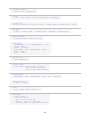
stcmd set-personal-options -central-status -central-repository "C:\JMarsh\statusinfo"
Related Reference
Client Command-line Operations
69