1
O’Reilly Media, Inc.
9/10/06
have to use to two terminal programs in this book. Linux and Mac OS
X users can use GNU screen and SSH from within a terminal program
such as Terminal, xterm, rxvt, or Konsole.
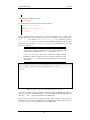
On Windows, HyperTerminal [BCJ20]can be found in the Start Menu, under All
Programs→Accessories→Communications→H y p e r T e r m i n a l .
To
configure
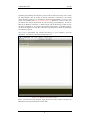
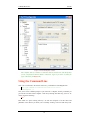
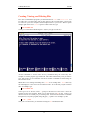
HyperTerminal for serial communication in Windows, open the program and click on the
File→Properties menu item. Choose the serial port you want to open from the popup
menu in the Configuration tab. Click on Configure to bring up the Port Settings tab. Set
the properties as needed for the device you’re talking to. For many of the projects that
follow, you’ll set the port settings to:
•
9600 bits per second
•
8 data bits
•
No parity
•
One stop bit
•
No hardware flow control
Once you’ve applied those settings, click the Call button on the toolbar to open the serial
port. Any characters you type in the window will be sent byte-by-byte out the serial port
you opened. They won't show up on the screen, however. Any bytes received in the
serial port will be displayed as characters in the window. Click the Disconnect button to
close the serial port.
To get started with serial communication in Mac OS X or Linux, open a terminal window
and type:
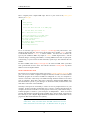
ls /dev/tty*
This will give you a list of available serial ports. The names of the serial ports in Mac OS
X and Linux are more unique, but more cryptic than the COM1, COM2, etc. that
Windows uses. Pick your serial port and type screen portname datarate.
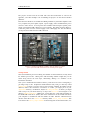
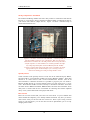
For example, to open the serial port on an Arduino board (discussed shortly) at 9600 bits
per second, you might type screen /dev/tty.usbserial-1B1 9600 on Mac OS
X. On Linux, the command might be screen /dev/ttyUSB0 9600. The screen will
be cleared, and any characters you type will be sent out the serial port you opened. They
won't show up on the screen, however. Any bytes received in the serial port will be
displayed in the window as characters. To close the serial port, type control-A
followed by control-\.
Who's Got the Port?
21