1
User Manual
Modbus Slave / Modbus TCP Master
Document code: MN67510_ENG
Revision 1.012
Page 21 of 26
Industrial Electronic Devices
UPDATE VIA SERIAL:
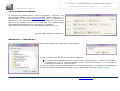
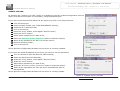
By pressing the “Update Via Serial” button it is possible to load the created Configuration
into the device, and also the Firmware if is necessary, using the RS232 port.
In order to load the parameters or update the firmware in the device, follow these
instructions:
Turn off the Device;
Connect the RS232 Null Modem Cable form your PC to the Converter;
Insert the Boot Jumper (see “FUNCTION MODES” section);
Select the “COM port” and press the “Connect” button;
Turn on the device;
Check the “Device State” Led. It must blink quickly (see “LEDS” section);
Press the “Next” button;
Select which operations you want to do.
Press the “Execute update firmware” button to start the upload;
When all the operations are “OK” turn off the device;
Remove the Boot jumper;
Disconnect the RS232 Cable;
Turn on the device.
At this point the configuration/firmware on the device is correctly updated.
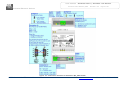
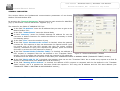
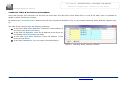
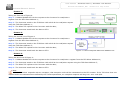
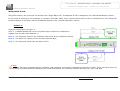
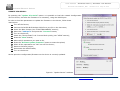
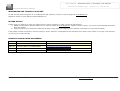
Figure 8: “Update Device” windows
ADFweb.com Srl – IT31010 – Mareno – Treviso
INFO: www.adfweb.com
Phone +39.0438.30.91.31