1
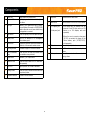
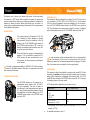
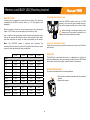
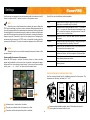
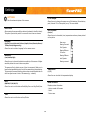
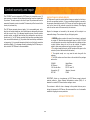
Settings SETTINGS LIT-09 charger Sets the advanced options of the camera. Allows the user to change the power source (AA batteries, Lithium battery pack, External 12V or Solar panel) see p.7 for more details. Device name Info on photos: Allows naming the camera with the electronic keyboard to identify it clearly. This option is particularly useful for users with more than one camera. (Yes/No) Allows the user to have date, time, temperature and moon phases printed on the photos. Language: New moon: (English/Français/Deutsch/Italiano/Español/Norsk/Svenska/Dansk/ Čeština/Polska/Magyarország) Waxing Crescent: First Quarter: Allows the user to select a language for the camera menus. Waxing Gibbous: Full moon: Waning Gibbous: Sensitivity: (Low/Medium/High) Last Quarter: Allows the user to choose the detection sensitivity of the camera. A higher sensitivity allows the user to take more photos. Waning crescent: The camera will only detect sources of heat in movement. Make sure to have the least possible objects in front of the camera during the positioning. This prevents the camera of taking photos when oriented towards the sun while an object moves in front of the camera (e.g. a branch). Temperature: (°C/°F) Allows the user to select the temperature display. Date: (MM/DD/YY, DD/MM/YY) About the device: Allows the user to set the date as Month/Day/Year or as Day/Month/Year. Displays system information: - Version number of firmware - Model - Device name Time: Allows the user to set the time as Hour/Minute. 10