1
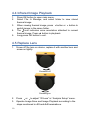
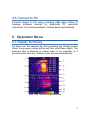
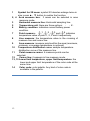
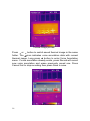
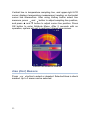
e.g.: If Rectangle 1 and Rectangle 2 are simultaneously selected, Rectangle 1 is smaller than Rectangle 2, Rectangle 1 will prevail. 2.2.2 Point Analysis Create a point Click the button Move the mouse to a point to be analyzed, and click it. Move a point Move the mouse to a point to be moved. When the mouse status changes to point. Move the mouse. , left-click to select the Delete a point Select a measurement point to be deleted. Click the button to delete selected Measured Objects. 2.2.3 Line Analysis Create a line Arbitrary line Click the Arbitrary Line button. Click the Set a starting point of the line in the thermal image to be analyzed. Left-hold and drag the mouse to the terminal point of the line. Create button to pop-up a menu. 15