1
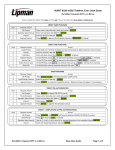
Overview of Terminal Functions ¾ STANDARD CREDIT CARD PAYMENT MODES CREDIT…….SALE ACCOUNT For standard credit card sales. CREDIT…VOID/SALE ACCOUNT To void a transaction within a current batch. CREDIT…VOID/RTRN ACCOUNT To void a return within a current batch. CREDIT…VOID/FRCD ACCOUNT To void a forced sale within a current batch. CREDIT…….RETURN ACCOUNT CREDIT…….VERIFY ACCOUNT is CREDIT…….FORCED ACCOUNT ¾ To refund a charge (use when batch has already been sent). To ensure adequate available funds on a card – (authorization # obtained but account is not charged) Once funds are verified, use that authorization number to charge account using FORCED, or if a voice authorization was obtained over the phone. EASYPAY TYPE TRANSACTIONS (Stores credit card information for later processing) 1. New 3. Due 2. Review 0r / 0p The EasyPay default screen. 1. NEW (processes credit card information for debiting at a later date) One Time - for a one time charge to be processed up to 90 days later Annual – keeps card info on file – good for all visits that year Recurring – for charges processed on an installment or recurring basis 2. REVIEW (review records on file in the terminal memory). Records can be viewed by: All (scroll through all records) Patient ID Number Patient’s Name One Time Cardholder’s Name Annual Recurring 3. DUE (reminder for either one time or recurring amounts due or overdue) 3