1
- Editing program
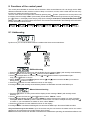
This menu item allows you to select a program to edit or create.The COLORMIX 150 AT WASH has one built-in
program ("tESt") and the 3 free programs,each up to 99 steps.
If the fixture is set as a master ,then you may edit any program in the slaves.You can't edit programs on the slave
fixtures from their control panels if the master fixture is switched on and connected to the slaves (editing is
possible by the master control panel only).
Procedure:
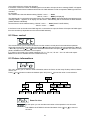
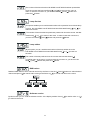
1. Press [ ] or [ ]-button to select the program you want to edit ("PrG.1" - "PrG.3") and press [ ].
2. Press [ ] or [ ]-button to select the desired fixture ("MASt." - "SLA.9") and press [ ]-button.
3. Press [ ] or [ ]-button to select the desired program step ("St.01" - "St.99") and press [ ]-button.
4 Press [ ] or [ ]-button to select the desired item and press [ ]-button.Now you can edit by [ ] or [
]
buttons the DMX value for selected item:
"P.End" - a total number of the program steps,value 1-99 .This value you must set before start
programming(e.g. if you want to create program with the 10 steps,set the value onto 10).
"Colo." - a colour wheel, value 0-255
"dimr" a dimmer, value 0-255
"b.out." - a strobe,value 0-255
"S.tim." - a step time,value 0,1-25,5 seconds
"COPY." - a copying the current prog. step to the next prog. step .If the last prog.step is copied to the
next prog. step ,parameter "P.End" is increased about 1 by itself (except step 99).
5. Press [ ]-button to confirm adjusted value .
6. Press [ ]-button,select next prog. step and repeat this procedure (steps 4 and 6).
The editting programs "PrG.1,PrG.2,PrG.3" are saved in the current modified fixture (master or slave1-9).
8.7 Reset function
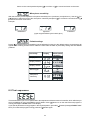
Press [ ] button to run a reset. This option enables the COLORMIX 150 AT WASH to index all effects (functions)
and return to their standard positions.
8.8 Special functions
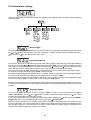
Use the [
] or [
] buttons to browse through the special functions and select the one by pressing [
]-button.
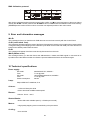
- Manual control of effects
The function allows you to control manually the channel functions of the fixture. Use the [ ] or [ ] buttons to
select desired function and press [ ] to adjust the effect or [ ] to cancel and return to the menu.
21