1
34
SolidFX User Manual
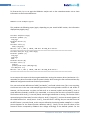
<Includes>
<Directory>
<![CDATA[my_includes1]]>
</Directory>
<Directory>
<![CDATA[my_includes2]]>
</Directory>
</Includes>
<Force>
</Force>
<Defines>
<Define>
<![CDATA[NODEBUG]]>
</Define>
<Define>
<![CDATA[NAME=abc]]>
</Define>
</Defines>
Using profiles
Having a profile, we can pass it to either the fact extractor or extractor driver to instruct it to use its
settings. For example, consider the above two profiles, gcc.profile (the compiler profile) and
user.profile (the user profile). The command
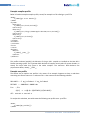
FXCXX.exe -tr alldata –tr verr –tr –p gcc.profile –tr –p user.profile source1.cpp
is equivalent to
FXCXX.exe -tr alldata –tr verr –I
darwin9/4.0.1/include
–I/usr/include
-DNODEBUG –DNAME=abc source1.cpp
/usr/local/include –Iusr/lib/gcc/i686-apple–Imy_includes1
–Imy_includes2
–D__STDC__
In this analysis, C system headers present in the input code, such as stdio.h or stdlib.h, as well as
user headers located in the directories my_includes1 and my_includes2 will be found as expected
when running the gcc compiler or, for that matter, the makefile shown above.
SolidFX comes packaged with a number of general profiles for many popular compilers, such as gcc
(several versions) and Visual C++ (versions 6, 7, 8). If you require a custom profile for a platform and/or
compiler that is not included in the standard SolidFX distribution, please contact SolidSource.
4.9. Using the fact linker
Both the SolidFX extractor and the extractor driver analyze a single source code file at a time, just like an
ordinary C/C++ compiler does. They produce one extraction unit, having by default the extension .fxc,
for each input source file. Such files already enable many types of analyses which are confined to the
©SolidSource 2007-2009 www.SolidSourceIT.com