1
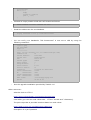
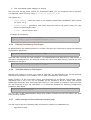
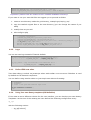
define('TL_TESTLINK_CSS','gui/css/testlink.css'); - Main CSS
define('TL_DOC_BASIC_CSS','gui/css/tl_doc_basic.css'); - Used in Reports
Important: paths to CSS are relative to the <testlink installation directory>
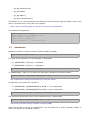
If you want to use your own CSS files we suggest you to proceed as follow:
1. create a new directory inside the gui directory, example gui/css/my_css/
2. copy the testlink original files to the new directory (you can change the names if you
want)
3. modify them at your will
4. edit config.inc.php
// Original configuration
//define('TL_LOGIN_CSS','gui/css/tl_login.css');
//define('TL_TESTLINK_CSS','gui/css/testlink.css');
//define('TL_DOC_BASIC_CSS','gui/css/tl_doc_basic.css'); define('TL_LOGIN_CSS','gui/
css/my_css/tl_login_acqua.css');
define('TL_TESTLINK_CSS','gui/css/my_css/testlink_acqua.css');
define('TL_DOC_BASIC_CSS','gui/css/my_css/tl_doc_basic.css');
4.6.2.
Logo
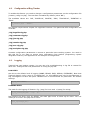
You can set own logo instead of TestLink default:
$g_logo_login_page='<img alt="TestLink" title="TestLink" src="' .
TL_THEME_IMG_DIR . '/company_logo.png" />';
$g_logo_navbar= '<img alt="TestLink" title="TestLink" src="' .
TL_THEME_IMG_DIR . '/company_logo.png" />';
4.6.3.
Define HTML text editor
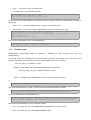
Text data editing is solved via javascript editor with toolbar over text area. FCKeditor is used
by default as full featured component.
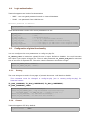
You can define using another editor or just simple text without formating:
// 'fckeditor'
// 'tinymce'
// 'none' -> use plan html textarea input field
$g_gui->webeditor='fckeditor';
4.6.4.
Using Your own Smarty templates (GUI definition)
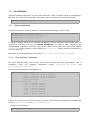
If You want to test a different solution for the user interface, you can develop your own Smarty
Templates. At the time of this writting we have defined the following configuration array:
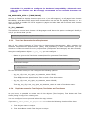
$g_tpl
with the following entries:
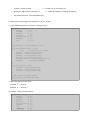
•
$g_tpl['tcView']