1
FIXED ASSETS SYSTEM
INSTALLATION GUIDE
COPYING PROGRAMS TO HARD DISK
The Polymathic Fixed Assets System is distributed on three diskettes.
Before using the Fixed Assets program you should copy all files on these three diskettes on to
your hard disk as outlined in the following example.This example assumes that your diskette
drive is Drive A: and your hard disk is Drive C:
1.
Insert the diskette labeled Polymathic Fixed Assets Disk 1 in Drive A:
2.
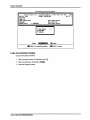
Run the installation procedure by typing:
A:FAINSTAL A: C:
3.
Follow the remaining instructions displayed by the installation program.
The Polymathic Fixed Assets System is now ready to be initialized.
INITIALIZING THE POLYMATHIC FIXED ASSET SYSTEM
Setting the Drive Search Defaults
The Polymathic Fixed Assets System allows the user to specify which drives are to be searched
for data and program files. Initially, the system will only search the logged on drive. This can be
changed to adapt to your computer's configuration by running a program known as SETDRIVE.
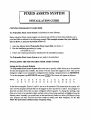
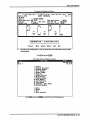
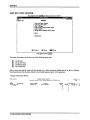
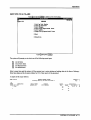
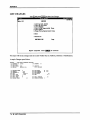
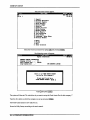
To run this program type SETDRIVE and press I*-1 Enter). The screen will appear as follows:
Drives:
ABCDEFGHI
JKLMNOP
NNYYNNNNNNNNNNNN
In the above examples, Drives C: and D: are set to be searched. This means that the system will
only look for program and data files on the logged on drive and drives C and D. Any program or
data files on other drives that you have configured will be ignored. To change the settings, type
(y) to set a drive to be searched or (n) to exclude a drive from being searched or [^ Enter \ to keep the
existing value. Normally you would only set the hard drive(s) letters on which you intend to keep
your program and data files.You are now ready to setup your first company. To do this
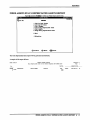
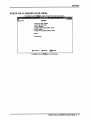
follow the instructions outlined under Company Setup.