1
SAGE User Guide
______________________________________________________________________________
Modifying your own contact information
•
Click your name on the SAGE Task Bar
−
You will be brought to the Edit Your Contact Information screen
•
Click Edit
•
Type in the fields or use the pull down lists to insert or change information
•
Save
Changing your password
•
Click your name on the SAGE Task Bar
•
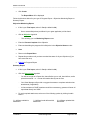
At the Edit Your Contact Information screen, click on Change Password
•
At the Change your Password form—
•
−
Enter your old password
−
Enter your new password
−
Re-enter your new password (to confirm)
Save
Changing your name
Name changes are performed by a SAGE System Administrator. Contact the SAGE Help Desk.
Changing your Agency Authorized Official
Only an Agency Authorized Official can modify his or her own information. If your Agency
Authorized Official’s information needs to be changed and he or she is not available – or if the
Agency Authorized Official has left your organization, email the SAGE Help Desk or call the Help
Desk at 609-292-8134.
11/28/2007
Agency Contacts
Page 21 of 58