1
Isi Net User Manual for Bank customers
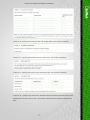
should be printed from the documents and sent to NBV, but that’s not related to the IsiNet
functionality. IsiNet just does not allow giving access to account that is not yet set for that customer.
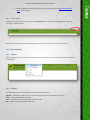
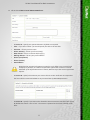
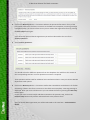
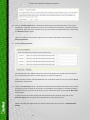
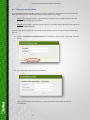
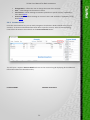
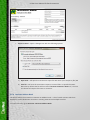
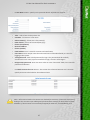
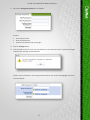
• To specify an account as linked to the authorized user, click on the corresponding
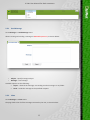
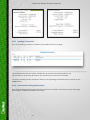
account record in the list. Account name and Link type are set in edit mode:
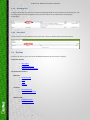
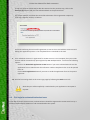
Select from the Link Type drop-down list, the type of the access to the account the user will
be granted to. Possible values are:
Not linked – the user will not have access to this account
View only – the user can review this account within IsiNet, but will not be allowed to
perform transactions
Allow transactions – user is allowed to perform transactions.
-
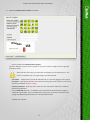
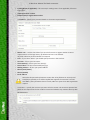
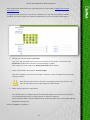
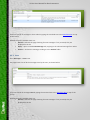
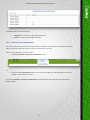
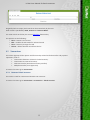
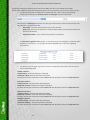
In Transaction rights for user section– In this section you can configure transaction rights
and limits at user level – i.e. set rights and limits applied only to this user regarding
transactions.
•
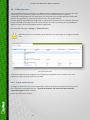
To specify a specific right as granted, tick the corresponding check box, and set limits in
the corresponding field
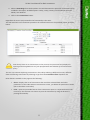
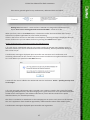
Linked transfers:
Create linked – thick the check box if allowed
Authorize linked- thick the check box if allowed
Set limit amount per transaction in Trx. Limit field and daily limit amount in Daily limit field.
External transfers:
Create external - thick the check box if allowed
Authorize external - thick the check box if allowed
Set limit amount per transaction in Trx. Limit field and daily limit amount in Daily limit field.
Overseas transfers:
Create overseas - thick the check box if allowed
Authorize overseas – thick the check box if allowed
Set limit amount per transaction in Trx. Limit field and daily limit amount in Daily limit field.
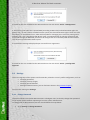
Multiple transfers:
Create multiple - thick the check box if allowed
Authorize multiple – thick the check box if allowed
Set limit amount per transaction in Trx. Limit field and daily limit amount in Daily limit field.
44