1
MachStdMill User Manual
15.7.1
Revision 2.15
MachStdMill Master Scripts location
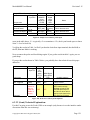
MachStdMill installs the Master button scripts into:
<mach install dir>\ScreenSetMacros\MachStdMill.set\Masters\
A parallel directory structure is created (if it does not exist already) at install time for user
customized scripts:
<mach install dir>\ScreenSetMacros\MachStdMill.set\Custom\
The recommended convention for customizing MachStdMill is to place only customized scripts
into the …\Custom\ sub-tree. This convention creates an easy way to determine what scripts have
been customized - as all customized scripts will then be present within the ..\Custom\ sub-tree.
15.7.2
#Expand Expansion
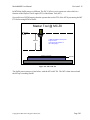
We will use the RefAllHome buttons as our example for this discussion.
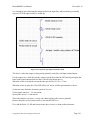
If you use the mach menus to “edit button script” what mach will show you is a line that contains
#Expand <Masters\Scripts\All-RefAllHome>
Lets take this apart piece by piece to see that this line is doing...
(This will be a simple example, for full details and options for the syntax, programmers are
referred to the mach programmers ref manual – installed with MachStdMill and available via a
button on the MachStdMill reference page).
“#expand” is the key word that tells mach to go get the contents of a disk file and replace this line
with the contents of that file.
The < > syntax is telling mach that the place to look for the disk file is dependant on the name of
the loaded screen set. With this form of the line, mach looks in
<mach install dir>\ScreenSetMacros\<Screen set name>\ 55
For MachStdMill (default installation), the actual location will be:
C:\Mach3\ScreenSetMacros\MachStdMill.set\
Note that the “.set” is part of the subdirectory name – this enables this approach to work for both
mill screens (.set) and lathe screens (.lset) even when the mill and lathe screens might have the
same name.
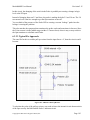
Next we need to understand the naming conventions used by MachStdMill to name button script
disk files.
55
Do not confuse the use of angle brackets (“<” and “>”) in the #expand line (where the are syntax delimiters used in
parsing the #expand line) and the use of angle brackets to denote “meta tokens”. For example: <mach install dir> is
used to indicate that the <xyz> meta token should be replaced with the token’s actual value. For a default mach3
install, <mach install dir> = C:\Mach3\
Copyright © 2009-2015 Calypso Ventures, Inc.
Page 261