1
1• GETTING STARTED
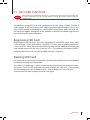
Viewing the User Guide in the Internet
The User Guide is available in the package when you purchased the terminal. The User
Guide is also available online at fingertec.com and user.fingertec.com. Choose the language that you prefer for your User Guide.
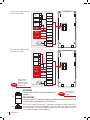
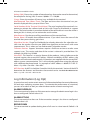
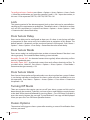
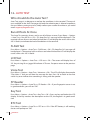
Terminal Included Accessories
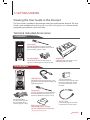
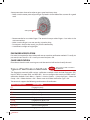
AC900 MODEL
Screwdriver
D OO R LOC K T
IM
ER
WelcomeCheck-In
01-01 09:00 Fri
Use the screwdriver to open the back
plate of fingerprint terminal and to install
the back plate against a wall.
A Packet of Bolts
AdapTec AC
Attach the back plate of the terminal
against a wall using the screws provided.
Supplying power and door access
controller to the terminal.
R2 or M2 MODEL
1
2
4
5
6
7
8
9
0
MENU
3
ESC
OK
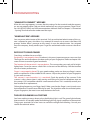
USB Extension
For USB Flash disk connectivity in fingerprint terminal for downloading and
uploading of data.
TCP/IP Connector
Connecting the network cable
from a PC or Network switch
to a TCP/IP connector at the
terminal.
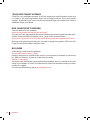
Screwdriver
Use the screwdriver to open the back
plate of fingerprint terminal and to
install the back plate against a wall.
A Packet of Bolts
Use the screws to hold
the back plate of the
terminal against a wall.
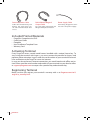
TCP/IP Cable
RFID Cards (5 pieces) /
HID/MIFARE Cards (1 piece)
Connecting fingerprint terminal for Ethernet connection.
For card enrollment and verification.
* Exclusively for R2 model only
CONTENTS
3