1
CYCLONE MAX
2
GETTING STARTED
Stand-alone programming is probably the most common use of the Cyclone
MAX, therefore this section provides a simple quick-start guide to 1)
configuring the Cyclone MAX with data, and 2) using it in stand-alone mode to
program the flash of a target system. The user is encouraged to read this
manual in its entirety for a complete description of the full feature set of the
Cyclone MAX.
2.1
Software Installation
The first step is to install the accompanying software. This will install all of the
applications and drivers that will be used to configure/control the Cyclone
MAX. Once the installation is complete and the PC has been rebooted you
may begin to configure the unit for operation.
2.2
Overview Of Cyclone MAX Configuration Utility
If you plan to use the Serial or USB ports for communication, then the
Cyclone MAX can be used right out of the box. If you wish to use the Ethernet
port, however, you will need to configure the corresponding IP numbers
before use. The Ethernet port will not be functional until this configuration is
complete. Please read Section 8 - ETHERNET PORT CONFIGURATION for
more information about the Cyclone IP Setup Utility.
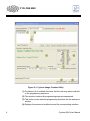
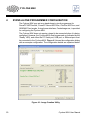
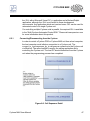
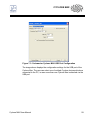
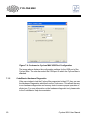
Once you have connected the Cyclone MAX to the PC via either a Serial or a
USB cable, you can launch the Cyclone MAX Configuration Utility
(CreateImage.exe) application:
Cyclone MAX User Manual
3