1
WiFi Function
Open WiFi button within the menu,it will be more convenient to
operate the machine at a distance of 30 meters using a mobile phone.
2.4G wireless remote control
waterproof watch remote control
Mount Method
The mount accessories are the same as Gopro.
Product Accessories
Accessory 1 Accessory
2
USB Cable Charger
HDMI cable Accessory 5
Accessory 3
Accessory 4
Accessory 6
Waterproof Case WristRemoteController 3M Pads
User
Manual
Accessory
7
Battery
"?
r
3
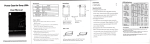
l.working indicator
2.Charge indicator
3.working indicator
4.Camera lens
S.USB port
6.TF card slot
I sL
ot s
{x p u
t,.I
*
,
T.HDMlport
8.Power button
9.menu button
10.Ok button
11 .Screw hole
w
Button function
Power button: Long press to turn on and off DVR, short press to
switch video/picture/playback mode, page up when setting menu.
Menu bufton: Short press to enter menu and confirm thehenu
option, long press to exit menu.page down when playback.support
capture under video mode.
Ok button: Start / stop recording when under the video mode,take
pictures,StarVpause playback.Page down when setting menu.
DVR lnterface
n
DVROperation
Poweron/ofl
Power on; Long press Power button,the lcd screen shows the
startup picture,two blue working indicators will light up, DVR enters
standby mode.
Poweroff:When camera is on,long press Power button,the lcd
screen shows the shutdown picture,two blue working indicators
will be off,DVR powers off.
t
-3-