1
CHAPTER 11. PERFORMANCE
106
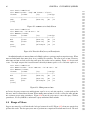
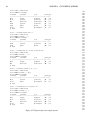
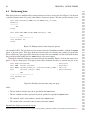
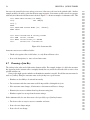
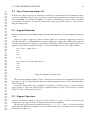
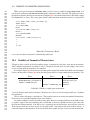
It is possible to create an index spanning multiple columns. Multi-column indexes are sorted by the first
indexed column. When the first column has several equal values, sorting continues using the second indexed
column. Multi-column indexes are only useful on columns with many duplicate values.
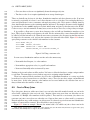
The command CREATE INDEX customer_age_gender_idx ON customer (age, gender) creates an index which
is sorted by age, and when several age rows have the same value, then sorted on gender. This index can be
used by the query SELECT * FROM customer WHERE age = 36 AND gender = ’F’ and the query SELECT * FROM
customer WHERE age = 36.
However, index customer_age_gender_idx is useless if you wish to find rows based only on gender. The
gender component of the index can be used only after the age value has been specified. The query SELECT *
FROM customer WHERE gender = ’F’ cannot use the index because there is no restriction on age, which is the
first part of the index.
Indexes can be useful for columns involved in joins too. An index can even be used to speed up some
ORDER BY clauses.
Indexes are removed using the DROP INDEX command. See the CREATE_INDEX and DROP_INDEX manual
pages for more information.
11.2
Unique Indexes
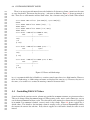
Unique indexes are like ordinary indexes, except they prevent duplicate values from occurring in the table.
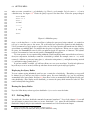
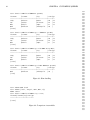
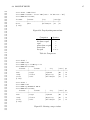
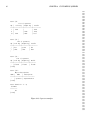
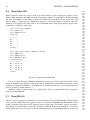
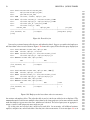
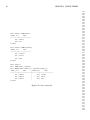
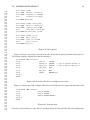
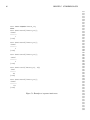
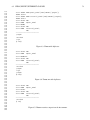
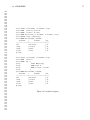
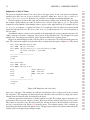
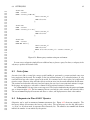
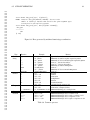
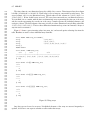
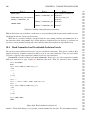
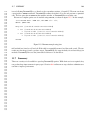
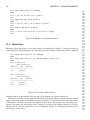
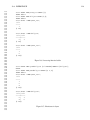
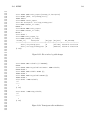
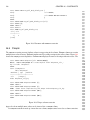
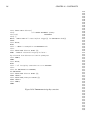
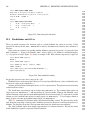
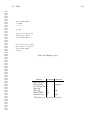
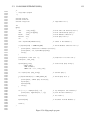
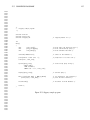
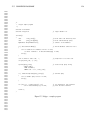
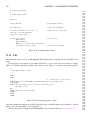
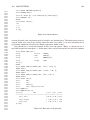
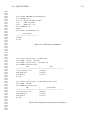
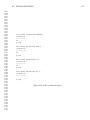
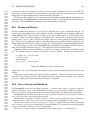
For example, figure 11.2 shows the creation of a table and a unique index. The index is unique because the
test=>
CREATE
test=>
CREATE
test=>
INSERT
test=>
ERROR:
CREATE TABLE duptest (channel INTEGER);
CREATE UNIQUE INDEX duptest_channel_idx ON duptest (channel);
INSERT INTO duptest VALUES (1);
130220 1
INSERT INTO duptest VALUES (1);
Cannot insert a duplicate key into unique index duptest_channel_idx
Figure 11.2: Example of a unique index
keyword UNIQUE was used. The remaining queries try to insert a duplicate value. The unique index prevents
this and displays an appropriate error message.
Sometimes unique indexes are created only to prevent duplicate values, and not for performance reasons.
Multi-column unique indexes ensure the combination of indexed columns remains unique. Unique indexes
do allow multiple NULL values. Unique indexes speed data access and prevent duplicates.
11.3
Cluster
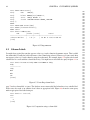
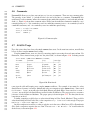
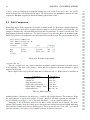
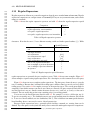
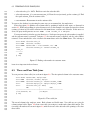
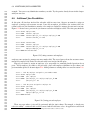
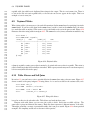
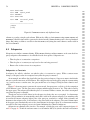
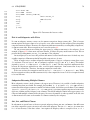
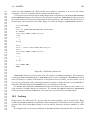
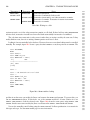
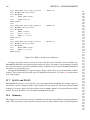
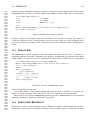
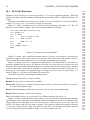
The CLUSTER command reorders the table file to match the ordering of an index. This is a specialized
command that is valuable when performance is critical, and the indexed column has many duplicate values.
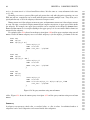
For example, suppose column customer.age has many duplicate values, and the query SELECT * FROM
customer WHERE age = 98 is executed. An index on age allows rapid retrieval of the row locations from the
index, but if there are thousands of matching rows, they may be scattered in the table file, requiring many
disk accesses to retrieve them. CLUSTER reorders the table, placing duplicate values next to each other. This
speeds access for large queries accessing many duplicate values.
8515
8516
8517
8518
8519
8520
8521
8522
8523
8524
8525
8526
8527
8528
8529
8530
8531
8532
8533
8534
8535
8536
8537
8538
8539
8540
8541
8542
8543
8544
8545
8546
8547
8548
8549
8550
8551
8552
8553
8554
8555
8556
8557
8558
8559
8560
8561
8562
8563
8564
8565
8566
8567
8568
8569
8570
8571
8572
8573
8574
8575
8576
8577
8578
8579
8580