1
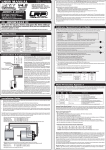
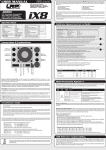
Mode Programming *** Mode.1 *** SmartCell System 2 The One features four simple modes which enable you to adjust it to your requirements. The default settings are shown in grey colour. This is the first Nosram speed-control using a single button which is used as the On/Off button, for calibration to your radio and also the mode adjustments. Therefore it works in a slightly different way than known from Nosram speed-controls before but we have retained the simple and intuitive logic to make it super user-friendly. • How to get into „programming the modes“? • How to know in which mode you are? • How to check the stored values? • How to change the value? • How to get to the next mode? • How to leave the programming mode? With speedo turned on, press button for 3sec until yellow + green LED start flashing. check LED flashing sequence of red/yellow LED‘s. Count the number of flashes of the green LED. (* = value 1 | ** = value 2 | etc.). Press button to increase value by one step. this is done automatic, the values will be shown 3 times before it jumps to the next Mode! The „jump“ to the next mode is indicated by all 3 LED‘s flickering very quickly. let the speedo „hop“ through the remaining mode‘s and it leave the mode programming automatically. • Table of settings, values and modes: see right side (grey-shaded values show „default settings“). Special Features (further explanations) Double Action Brake/Reverse Function: in order to give best car control during braking, even when using reverse function, the brake function is integrated as a „double action“ brake. This means that you‘ll have normal brake in the reverse range for the first time you hit brake, it will switch to reverse operation if you let the trigger return to neutral after braking and then go back to reverse trigger position. SwitchingBEC: a powerful and efficient 6.0V/2A switching BEC allows the usage of strong servos in combination with a wide range of drive batteries (2S-4S LiPo or 6- to 14-cells NiMH‘s). 1S LiPo use: the speedo can also operate with lower input voltage then 7.2V but be aware that you need to run a receiver battery when you‘re using a 1S LiPo or 4cell NiMH battery pack. Connect a suitable receiver pack directly to the receiver, make sure the receiver packs voltage is within your receivers & servo‘s limitations (the speed-control itself can accept up to 7.4V from receiver pack). Boost Zero: if value #0 is choosen for Mode.3 the green LED will flash in neutral trigger position to indicate that speed-control is operating in Boost0 mode for „true stock racing“ as required by certain federations! Changing Mode Settings without the Transmitter: simply disconnect the receiver lead from the receiver and change the MODE settings on the speed-control as described under „Mode Programming“. LED flashes Yellow Remark Cut-Off Voltage use for #1 3.2 1S LiPo #2 6.4 2S LiPo #3 9.6 3S LiPo #4 12.8 4S LiPo #5 xxx NiMH ensures that all batteries can be used safely for all applications, please select the correct value according to our table under „Mode Programming“. When the battery voltage reaches the selected cut-off voltage, the motor function will be disabled and the LED‘s will indicate that the shutdown has occured due to undervoltage of your batteries (see „Multi Protection System 3“ for further details). Caution: WorksDefault setting is 2S LiPo, so if you use other batteries you need to adjust Mode.1 before first use! *** Mode.2 *** Drive Selection LED flashes Red Remark Forward Reverse #1 100% 50% #2 100% none #3 50% 50% the One includes adjustable drive selection. You can disable reverse, if you plan on using forward/brake only for racing and there‘s even a „Training Mode“ which only gives 50% of the available power in forward direction to give easier control for the less experienced drivers or kids and their first runs with the new vehicle! *** Mode.3 *** Torque Setting flash alternatively LED flashes Yellow/Red (alternate) Remark #0 #1 Torque Setting 0% 30° Value #1: this mode should only be used Nosram K4/X12/X20 motors as it will increase the motors torque and efficiency, all other motors should be used with #0 in this mode. Value #0: Boost0 mode, the green LED will flash in neutral trigger position to indicate that speed-control is operating in Boost0 mode for „true stock racing“ as required by certain federations! flash same time *** Mode.4 *** Automatic Brake LED flashes Yellow/Red (same time) Remark Autobrake % #0 #1 #2 #3 #4 #5 0 5 10 15 20 25 allows you to set a slight braking action when your trigger is in neutral range. Sensored Brushless Technology: Advanced Digital allows the perfect knowledge of the brushless motor’s magnet position. This results in perfect motor control at high and low RPM‘s, as well as perfect brake control. The crossed-out wheeled bin means that within the European Union the product must be taken to seperate collection at the product end-of-life. Do not dispose of these products as unsorted municipal waste. Repair Procedures / Limited Warranty All products from NOSRAM are manufactured according to the highest quality standards. NOSRAM guarantees this product to be free from defects in materials or workmanship for 90 days (non-european countris only) from the original date of purchase verified by sales receipt. This limited warranty doesn’t cover defects, which are a result of misuse, improper maintenance, outside interference or mechanical damage. „This applies among other things on: • Cut off original power plug or not using reverse polarity protected plugs • Receiver wire and/or switch wire damaged • Mechanical damage of the case • Humidity/Water inside the speed control • Mechanical damage of electronical components/PCB • Soldered on the PCB (except on solderpads) • Connected speed-control with reversed polarity“ To eliminate all other possibilities or improper handling, first check all other components in your model and the trouble shooting guide, if available, before you send in this product for repair. If products are sent in for repair, which do operate perfectly, we have to charge a service fee according to our pricelist. With sending in this product, the customer has to advise NOSRAM if the product should be repaired in either case. If there is neither a warranty nor guarantee claim, the inspection of the product and the repairs, if necessary, in either case will be charged with a fee at the customers expense according to our price list. A proof of purchase including date of purchase needs to be included. Otherwise, no warranty can be granted. For quick repair- and return service, add your address and detailed description of the malfunction. If NOSRAM no longer manufactures a returned defective product and we are unable to service it, we shall provide you with a product that has at least the same value from one of the successor series. The specifications like weight, size and others should be seen as guide values. Due to ongoing technical improvements, which are done in the interest of the product, NOSRAM does not take any responsibility for the accuracy of these specs. NOSRAM-Distributor-Service: • • • • Package your product carefully and include sales receipt and detailed description of malfunction. Send parcel to your national NOSRAM distributor. Distributor repairs or exchanges the product. Shipment back to you usually by COD (cash on delivery), but this is subject to your national NOSRAM distributor‘s general policy. Troubleshooting Guide To eliminate all other possibilities or improper handling, first check all other components in your model and the trouble shooting guide before you send in this product for repair. If products are sent in for repair, which do operate perfectly, we have to charge a service fee according to our pricelist. Always check error by checking LED error code first, this gives you a good indication were to search! Symptom Cause Remedy Motor overheats Too high mechanical motor timing Too little motor cooling Wrong Gear ratio Transmitter settings changed after set-up Motor or sensor-board in motor defective Speed-control defective Speedo plugged in incorrectly Multiprotection System activated Wiring problem Sensor wire missing/defective Motor defective Speedo defective Speedo connected to receiver with wrong polarity Wiring problem Battery defective Crystal, receiver or transmitter defective Speedo defective Sensor wire defective Motor or sensor board in motor defective Radio interference Speedo defective Model with reversed gearbox! Decrease mechanical motor timing Add cooling fan and/or heatsink Adjust gear ratio Repeat set-up procedure Replace sensor-board or motor Send in product for repair Plug speedo to receiver as Ch.2 Check settings for your application Check wires and connectors Install/replace sensor wire Replace motor Send in product for repair Connect speedo with correct polarity Check wires and connectors Replace with different battery pack Replace components one by one Send in product for repair Replace sensor wire Replace sensor board or motor Change location of components Send in product for repair Can not use a sensored brushless system! Model used too often without cool-down periods Motor stronger than motorlimit or input voltage too high Stuck drivetrain or ball-bearing Motor defective Transmitter settings changed after set-up Motor or sensor board in motor defective Receiver or antenna too close to power wires, motor, battery or speedo. Receiver aerial too short or coiled up Receiver defective, too sensitive; Transmitter defective, transmitter output power too low, servo problem Poor battery connection Transmitter batteries empty Let cool down after every run Use only motors and batteries which are within the specifications of the speed-control Maintain model Replace motor Repeat set-up procedure Replace sensor board or motor See „Installation Tips“ and „Installation“ Insufficient performance. E.g. poor power, topspeed or brake Servo is working, no motor function No servo and no motor function Motor stutters while accelerating Motor runs in reverse when accelerating forward on radio Speed-control switches off frequently Motor never stops, runs at constant slow speed Radio interference Replace components one by one Only use original manufacturers crystals Check plugs and connecting wires Replace / recharge transmitter batteries