1
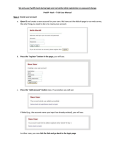
Only use PwdIP-Hash during login; do not use it for the initial registration or password change
Step 2: Login in the account using PwdIP-Hash plug-in
a. Use the account you just created to login, this step we’d like you to experience the plugin
program (see the red X icon in the toolbar):
b. Type your account name
c. We use PwdIP-Hash to protect the password entry.
Click the input area of the password so that it will get the focus. Then press F2, you will see that
the icon in the toolbar will change to green check mark:
d. The green check mark means that the plugin is ready to accept your input password and will
encrypted it. Now you can input your password and click the “login” button. If successful, you
will see: