1
Caution: To protect you device against sudden surges in cunent, comect the cu chilger only after the
cu engine hc been shrted. Connect one end ofthe car chuger to the power comector ofyour device.
Com@t the other end to thc cigarette lighter in the car to power and charge your device.
vacuum seal.
Step
l:
Rotate screw
to lock it onto cerghss
Ir1j
to adiust the
.ngle and direction ofth€ PND
Use the two screw
l[
2.3 USB Cable usage
Instrll the holder into lh€
rhe sockets
Main function introduction
l. Starting up
The USB cable is provided for system upgrades. This USB cable will work on the PC either with
Microsoft Active Sltc@ or as a Mss storage media. You can select the mode in the "Sefting-UsB"
Insert the supplied SD card (optional) into the slot at the bottom
menu.
l
ofdevice
m-n
For upgade and more informtion about Micrcsoft Active Sync, please visit Microsoft web.
Stafring up then enter lnto lhe main function operalion screen as below.
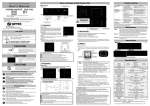
2.4 Instdl the Car Mount System
Take ofthe protected fitm on the bottom of the suction. Then put the bracket onto a suitable location
of you windscreen or side window, make sure the window or the suction or windscreen is clean and
without water atrd some dirty things inside, fixing the stand on that position. Never place the stand
where the driver's field ofvision is blocked.
If the car's windshield is tinted with a rcflective coating, an extemal antema (optional) my be needed
to rcute the roads. The extemal utema is stick to the top of the car through a window. When closing
the cil window, be careful not to pinch the mtema cable (Cars with an mti-jam window design may
automtically leave adequate
Saep2:
Crr crrdle bv
Device powcr connector
2. Vehicle power connector
1.
ffi
2. Power saving
spaae as needed.).
Install PND into the holder
To remove the bmcket, three steps as below:
Press 2 side button, pull left lightly md then take offthe suction. Ifthe bmcket still doesn't detach from
your windscrcen, tug gently on the clear plastic tab at the edge of the suction mount, to break the
4
Press the power
button
4.
"
on the top side ofyour deyice to tum offyour device, the device actually
enters a suspend state and the system stops operation. Once you tum on the system again, it resumes.