1
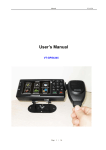
TNC-G110 User’s Manual
GSM/GPRS Modem
TNC-G110 USER’S MANUAL
Safety Precautions
• This modem is intended for use when supplied with power from a DC source between 9 VDC to 36
VDC. Other usage will invalidate any approval given to this modem and may be dangerous.
• The modem generates radio frequency (RF) power. When using the modem care must be taken on
safety issues related to RF interference as well as regulations of RF equipment.
• Usage of modem in aircrafts is illegal and it may cause danger to aircraft operation and disrupt
cellular network. Offenders may face suspension or revocation of cellular telephone services, or
legal action or both.
• Uses of modem are not advisable at explosive environments. Users are to restrain himself from
using radio equipments at these areas where blasting actions are taking place. E.g.: fuel depots,
chemical plants.
• The use of the Alert device to operate a vehicle’s lights or horn on public roads is not permitted.
• It is advised that hand-held microphone or telephone handset should not be used by the driver while
the vehicle is moving, except in an emergency. Speak only into a fixed, neck slung or clipped-on
microphone when it would not distract your attention from the road.
• Be sure that the modem will not be interfering with nearby equipment. For example: pacemakers or
medical equipment. The antenna of the modem should be away from computers, office equipment,
home appliance, etc.
• Antenna of the device should be at least 30 cm from the human body.
• Do not put the antenna inside metallic box, containers, etc.
• Check for any regulation or law authorizing the use of GSM in vehicle in your country before
installing the modem. Consult your vehicle dealer for any possible interference of electronic parts by
the modem. Vehicle installation of modem must be by qualified personnel.
• Non-radiating cable (e.g. coaxial cables) are to be used to connect radio equipment to antenna.
• Antenna should be mounted at placement that considerations are taken that no part of human body
can get too close to any part of antenna unless there is an intervening metallic screen (e.g. metallic
roof).
• Be careful when the modem is powered by the vehicle’s main battery. The battery may be drained
after an extended period.
Protecting your modem
To ensure error-free usage, please install and operate your modem with care. Do remember the
following:
• Do not expose the modem to extreme conditions such as high humidity/rain, high temperatures,
direct sunlight, caustic/harsh chemicals, dust, or water.
• Do not try to disassemble or modify the modem. There is no user serviceable part inside and the
warranty would be void.
• Do not drop, hit or shake the modem. Do not use the modem under extreme vibrating condition.
• Do not pull the antenna or power supply cable. Attach/ detach by holding the connector.
• Connect the modem only according to the instruction manual. Failure to do it will void the warranty.
• In case of problem, please contact authorized dealer.
All contents are subjected to change without prior notice
Copyright © 2006 Taiko Network Communications Pte Ltd
Rev 1.2
Page 3 of 27