1
K1 RG.fm Page 23 Thursday, September 27, 2007 10:24 AM
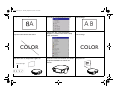
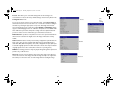
Color Temperature: changes the intensity of the colors. Select a value. Native
means an uncorrected/unchanged color temperature. Other values change the
white point of the colors. 6500K (the default setting) is generally used for film content and 9300K is used for TV video.
Color
Temperature
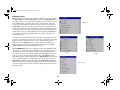
Color Gamut: sets the total number of possible displayable colors (gamut).
Choose Auto to have the projector select automatically based on the current signal format. Choose Maximum to display all colors that the projector is capable of
displaying.
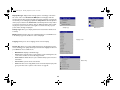
Color Control: allows you to individually adjust the gain and offset of the red,
green, and blue colors. These advanced controls have the same effect as contrast
and brightness, but each controls a single color only.
Color Control
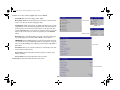
Video Standard: when it is set to Auto, the projector attempts to automatically
pick the video standard based on the input signal it receives. (The video standard
options may vary depending on your region of the world.) If the projector is unable
to detect the correct standard, the colors may not look right or the image may
appear “torn.” If this happens, manually select a video standard by selecting NTSC,
PAL, or SECAM from the Video Standard menu.
Video Standard
Noise Reduction: adjusts signal noise reduction. Choose Enable then adjust the
level. The software determines the differences between successive image frames
and averages the changes out to reduce the noise.
Noise Reduction
23