1
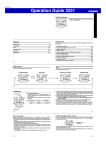
Operation Guide 3435
To stop the alarm
Press any button to stop the alarm after it starts to sound.
Stopwatch
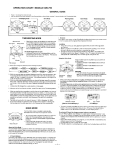
To switch the Daily Alarm and Hourly Time Signal on and off
Press A while in the Alarm Mode to change the status of the Daily Alarm and Hourly
Time Signal in the following sequence.
A
Both on
A
Both off
Mode indicator
A
Daily Alarm only
Hourly Time
Signal only
A
Minutes
Seconds
1/100 second
To test the alarm
Hold down A while in the Alarm Mode to sound the alarm.
The Stopwatch Mode lets you measure elapsed time, split
times, and two finishes. The range of the stopwatch is
59 minutes, 59.99 seconds.
x The stopwatch continues to run, restarting from zero after
it reaches its limit, until you stop it.
x The stopwatch measurement operation continues even if
you exit the Stopwatch Mode.
x Exiting the Stopwatch Mode while a split time is frozen
on the display clears the split time and returns to elapsed
time measurement.
x All of the operations in this section are performed in the
Stopwatch Mode, which you enter by pressing B (page
E-5).
E-10
E-11
To measure times with the stopwatch
Time Setting
(a) Elapsed time measurement
A
Start
A
Stop
A
Resume
A
Stop
C
Clear
Start
C
Split
(SPL displayed)
Day of week
Day
(b) Split time measurement
A
Use the Time Setting Mode to set the current time and
date.
PM indicator
C
Split release
A
Stop
C
Clear
C
(c) Split time and 1st-2nd place times
A
Start
C
Split
First runner
finishes.
Display time of
first runner.
A
Stop
Second runner
finishes.
To set the time and date
1. Use B to enter the Time Setting Mode (page E-5).
x The second’s digits flash because they are selected.
2. Press C to change the selection in the following
sequence.
Seconds
C
Split release
Display time of
second runner.
C
Clear
C
Hour
Minutes
Day
Month
C
Hour : Minutes Seconds
Day of
the Week
C
C
C
E-12
3. While the second’s digits are selected (flashing), press A to reset the seconds to
. If you press A while the second’s count is in the range of 30 to 59, the seconds
are reset to and 1 is added to the minutes. If the second’s count is in the range of
00 to 29, the minute’s count is unchanged.
4. While any other digits (besides seconds) are selected (flashing), press A to
increase the number. While the day of the week is selected, pressing A advances
to the next day. Holding down A changes the current selection at high speed.
5. After you set the time and date, press B to return to the Timekeeping Mode.
x If you do not operate any button for one or two minutes while a selection is flashing,
the flashing stops and the watch goes back to the Timekeeping Mode automatically.
E-14
E-13
Specifications
Accuracy at normal temperature: ±30 seconds a month
Timekeeping: Hour, minutes, seconds, p.m., day, and day of the week
Time system: Switchable between 12-hour and 24-hour formats
Calendar system: Auto-calendar set at 28 days for February
Alarm: Daily alarm, Hourly time signal
Stopwatch
Measuring units: 1/100 seconds
Measuring capacity: 59 minutes, 59.99 seconds
Measuring modes: Elapsed time, split time, and two finishes
Illumination: LED (light-emitting diode)
Battery: One lithium battery
Type: CR2016
Battery life: Approx. 7 years
x 1 second of illumination operation per day
x 20 seconds of alarm operation per day
E-15