1
DeepNet Technologies
06/16/04
•
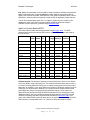
Install these pdb files to your Palm device, as you would any other program (see the
User Manual that came with your Palm device if your are unsure how to do this). If
your desktop operating system is Windows, all you have to do is double click on the
pdb file from Explorer.
•
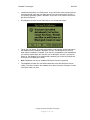
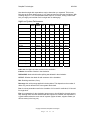
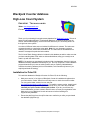
Run Blackjack Counter on your Palm device. You will see this screen:
•
Tap on the 'Yes' button. The extra action tables, count systems, and/or index sets in
this database will be installed in Blackjack Counter. This dialog will not come up
again after the database is installed. If you tap 'No', the database is not installed and
you will be prompted again the next time you run Blackjack Counter. If you tap 'No,
delete all', the database is not installed and is deleted (you will not be prompted the
next time you run Blackjack Counter.
•
Note: Databases can only be installed if Blackjack Counter is registered.
•
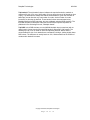
This database includes all of the default tables that come with Blackjack Counter
initially. They are included in this database since there have been a number of small
corrections made over time.
Copyright 2000-2001, DeepNet Technologies
Page
2
of
13