1
1st Floor, 25 York Street
Launceston
PO Box 1381
Launceston
Tasmania 7250 Australia
Telephone (03) 6334 2353
Facsimile (03) 6331 4824
Email: info@natsoft.biz
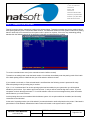
in some programs. When this key has a special purpose, this purpose is shown in the program or in the instructions of
the program.
Arrow Across (AA)
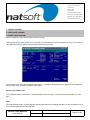
The Arrow Across key (or F8 on the IBM style keyboard with no separate cursor controls), is a confirmation or program
exit key. It is used to confirm an entry screen, or to, during posting procedures, indicate to the system that all
transaction dissections are entered. This key is pressed to exit a program when there are no screen instructions on
how to exit the program.
Arrow Back (AB)
The Arrow Back key (or F7 on the IBM style keyboard with no separate cursor controls), is used in the same way as a
Backspace key to delete the previous character typed.
Function Keys
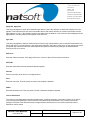
The system utilizes function keys 1, 2, 3 and 4 to perform various tasks. An explanation of the function of each of these
keys may be found below.
Function Key One (F1)
Function key one or F1 is the help key. If the operator is at an entry within the system and does not understand what
the system requires then this key may be struck and a help message will appear on the screen explaining the
particular entry concerned. Once the operator is happy with the course of action that should be taken then the ENTER
key should be struck to return the operator to the entry in question. The help message may be changed by entering C,
and then the message.
Function Key Two (F2)
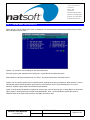
Function key two or F2 is the Load/Change key, and is used to allow the loading and changing of records. At any
account entry this key can be used to load a new account, or change an existing one. For example new account may
be loaded on to the system in the middle of a posting procedure by the use of F2. The new account code is keyed in
followed by the F2 key instead of the Enter key. Not only can new accounts be loaded by this method but existing
account details can be modified.
Function Key Three (F3)
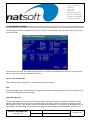
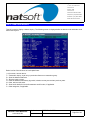
Function key three or F3 is the screen inquiry key. At any account entry this key can be used to inquire into an
account. For example this key may be used in the middle of a posting procedure if details of a particular debtor's
transactions are required. The debtors code is keyed in followed by the F3 key instead of the Enter key. The operator
is then placed in the inquiry mode.
NATSOFT USER MANUALS
www.natsoft.biz
Application:
DEBTORS SYSTEM
Version:
3.00
Page 3 of 69