1
of hours of daylight diminish, the time it takes for a convective flow to begin gets closer
and closer to dusk, so someone wanting to go out needs to be on site and prepped
sometimes before the conditions are good enough to go out. ThirdAveView provides the
kind of information that helps its users get out when other apps, which don’t provide data
as frequently, cannot.
Being a monitoring application, ThirdAveView might not provide images. If the webcam
or its server are down, or if there is an interruption in network connectivity,
ThirdAveView will be useless and you will need to use an alternate source until the
situation is resolved.
1.1 General Information and Setup
The application supports five (5) different photographic views of the Third Avenue
kiteboarding and sailboarding site acquired from our Sony PTZ network camera:
•
Parking Lot (
) shows a view of the main parking lot
•
Carpeted Area and Flag (
the sailboard ramp
•
Jump (
) shows the main kiteboarding jumping area at the corner of the
path, to the right of the sailboarding ramp
•
Beach (
•
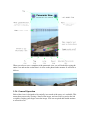
Panoramic (
) shows a panoramic view created by stitching together 33
images together (3 rows of 11 images)
) shows the main setup area and the flag by
) shows the lower/south beach setup area
The following sections describe each of these view types in detail. The screen shots
shown in this document are the iPhone versions. The iPad versions are functionally.
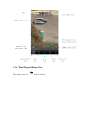
1.1.1 View Layout
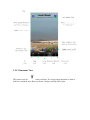
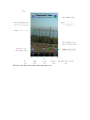
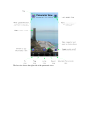
Each camera view has 4 areas:
•
•
•
•
Title area
View area
Button area
Tab area
1.1.1.1 Title area