1
•
•
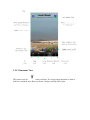
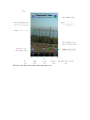
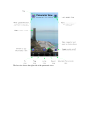
Snapshot: Takes a snapshot of the current view.
Audio: Toggles audio on/off.
1.1.1.3.1 Audio Button
At the bottom right of each top-level (tab) view is an icon/button
that controls the
background audio. This is a toggle button, so it is used to turn audio on and to turn it off
again. The background audio changes with wind speed using the following logic:
•
•
•
•
0-11 mph: Gentle lapping of water against rocks
12-16 mph: Pumping sounds
17-26 mph: Discussion and deflation sounds
27+ mph: Wind oversaturating the microphone
When you select the audio button the sound may take a few seconds to begin. Also, when
you toggle it off it may take a few seconds to stop.
1.1.1.3.2 Snapshot Button
Version 2.3 introduced a new icon/button
to the center of each image view that,
when selected, will take a picture of the current view and save it to your photo album.
When the button is selected you may see an alert that looks like the one below: