1
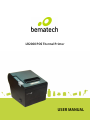
1 Introduction Thank you for purchasing the LR2000 POS printer. Bematech is committed to continuously improve product quality and provide better after-sales service. In order to take full advantage of our devices, we strongly recommend that you take the time to read this manual before diving into software solution. Note: Information in this manual may change without prior notice. 1.1 Safety Information Before plug in the product, please make sure the power you provide meets the power requirements (such as voltage, frequency); Make sure the ground terminal of the power outlet is working properly. To avoid electric shocks, disconnect the power cord from the electrical outlet before relocating the system. Lightning may damage this product. During lightning storms, unplug the interface cable, power cable and any other connections. Turn off power before connecting any devices (except USB devices and Ethernet) to the printer. Do not attempt to open the chassis. You may be hurt by electric shock. For service, call your place of purchase. Do not spill liquid on the printer. Do not place any objects into the ventilation holes of this product. It may cause short-circuit of the internal components and cause a fire or electric shock. After the printer is stored below temperature of 10 ° C, please place it in room temperature (10-35 ° C) in the original packing for at least two hours to allow the printer to restore to room temperature before operation. This is to avoid condensation that might cause electrical damage. Keep the printer clean, dry, and away from dust, moisture and direct sunlight. Do not use harsh chemicals or strong cleaning solvents to clean the printer. Wipe it clean with a soft terry cloth applied with a mild solution Do not share the same power outlet with high-power electrical appliances; keep distance from high level magnetic interference. 2