1
Direction for Use
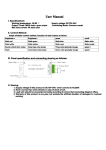
1. Connect the load wires at first, following by the power wires; Please
ensure that short circuit can not occur between connecting wires before you
turn on the power;
2. There are six keys on the control panel, the funtion of each key as
follows:
ITEMS
ON/OFF
MODE
B+
BS+
S-
FUNCTIONS
You could turn on/off controller at any time
The color change button; there are 25 kinds of modes for you to
choose
Brightness control button; the step of the brightness add one by
each pressing, a total of 256 steps
Brightness control button;The step of the brightness subtract one
by each pressing,a total of 256 steps
The step of the speed add one by each pressing, a total of 100
steps
The step of the speed subtract one by each pressing, a total of
100 steps
3. Standard changes as the following form:
No
1
2
3
Static red
Static green
Static blue
Patterns
Remarks
14
15
16
4
Static yellow
17
5
Static purple
6
Static cyan
7
Static white
20
8
Three-color
jumpy changing
21
9
Seven-color
jumpy changing
22
Brightness is
adjustable but
speed is
unadjustable
Speed and
brightness
are adjustable
No
18
19
Patterns
Remarks
R/B crossfade
B/G crossfade
G/R crossfade
Three-color fade in
Speed is
and fade out
Seven-color fade in adjustable but
brightness is
and fade out
Four-color jumpy unadjustable
changing then
gradual changing
Seven-color jumpy
changing then
gradual changing
Three-color
Gradual changing
then stroboflash
Seven-color
gradual changing
then stroboflash
Speed is
adjustable but
brightness is
unadjustable