1
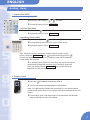
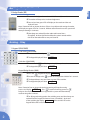
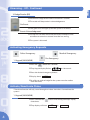
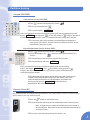
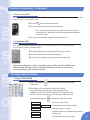
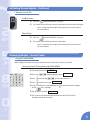
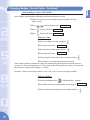
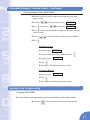
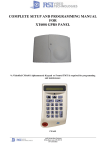
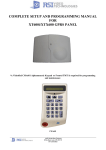
ENGLISH Arming - Away 1. Keypad (XMA/WMB) Code Arming (XMA/WMB): Enter access code and press The keypad display will show Quick Arm (XMA/WMB): Press and hold to confirm. ARMING THE SYSTEM until the keypad rapdily beeps three times. The keypad display will show or SYSTEM ARMING AWAY Keypad Badge Reader (WMB): Present the badge to the symbol on the keypad and hold it for 2 seconds. The keypad beeps once and shows a green LED to confirm. The keypad display will show ARMING THE SYSTEM Note: Detection from an instant device during arming will stop the arming DETECTION process and display "DEVICE . Press to restart the arming process or NAME" to bypass the device. If no command is registered the system will automatically restart arming after 3 minutes. For all keypad arming options the exit delay starts and short beeps are emitted from the keypad and internal sirens (if installed). At the end of the exit delay the display SYSTEM ARMED shows and the LED on the keypad flashes RED ever two seconds. 3. Remote Control Press the button and instantly release. The remote control will beep twice in confirmation. Note: A single low tone notifies the command was not received at the control panel. Move closer to the control panel and reattempt to arm the system. The exit delay starts and short beeps are emitted from the Remote Control and internal sirens (if installed) 1