1
Contents
7.7
8
9
9.1
9.2
The Audio Input/Output Gain Control
Flash Memory Upgrade
Controlling via the Embedded Web Pages
Connecting to the VP-8x4AK via your Browser
The VP-8x4AK Switching Matrix Page
25
26
26
27
28
9.2.1
9.2.2
9.2.3
Switch an Input to an Output via the Embedded Web Pages
Operate in the Confirm Mode
Store and Recall Setups
29
30
31
9.3
9.4
10
11
12
13
14
14.1
Audio Gain Page
The Configurations Page
Technical Specifications
Communication Parameters
Table of ASCII Codes for Serial Communication (Protocol 3000)
Hex Codes for Serial Communication (Protocol 2000)
Kramer Protocol
Switching Protocols
33
34
35
36
37
38
40
40
14.1.1 Switching Protocols via the Front Panel Buttons
14.1.2 Switching Protocols via Protocol Commands
40
40
14.2
Kramer Protocol 3000
40
14.2.1 Protocol 3000 Syntax
14.2.2 Command Parts Details
41
42
14.3
48
Kramer Protocol 2000
Figures
Figure 1: VP-8x4AK 8x4 VGA / UXGA / Audio Matrix Switcher – Front View
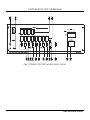
Figure 2: VP-8x4AK 8x4 VGA / UXGA / Audio Matrix Switcher – Rear View
Figure 3: Connecting the VP-8x4AK 8x4 VGA / UXGA / Audio Matrix Switcher
Figure 4: Connecting a Balanced Stereo Audio Output
Figure 5: Connecting an Unbalanced Stereo Audio Output
Figure 6: The RS-485 TERM DIP-switch
Figure 7: Local Area Connection Properties Window
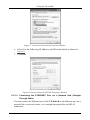
Figure 8: Internet Protocol (TCP/IP) Properties Window
Figure 9: Connect Screen
Figure 10: Device Properties Screen
Figure 11: Control Configuration via RS-232 and RS-485
Figure 12: 7-segment Display during Normal Operation
Figure 13: REL AUDIO LEVEL 7-segment Display
Figure 14: Storing and Recalling using the Input/Output Buttons
Figure 15: Java Test Page Success Message
Figure 16: Entering the IP Number in the Address Bar
Figure 17: Loading the Embedded Web Pages
Figure 18: First Time Security Warning
Figure 19: VP-8x4AK Embedded Web Page
ii
6
8
12
13
13
14
16
16
17
18
20
21
22
23
26
27
27
28
29
KRAMER: SIMPLE CREATIVE TECHNOLOGY