1
What’s New ................................................................................. 4
Getting Started.............................................................................. 4
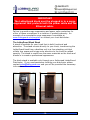
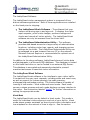
The LobbyGuard Hardware............................................................... 5
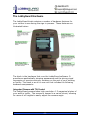
Integrated Camera with Tilt Control................................................... 5
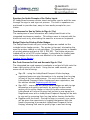
Speakers for Audio Prompts of the Visitor Inputs................................... 6
Touchscreen for Use by Visitor to Sign In / Out..................................... 6
Badge Printer for Printing Visitor Badges ............................................ 6
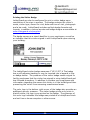
Bar Code Scanner for Fast and Accurate Sign In / Out............................ 6
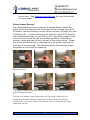
Driver License Scanner................................................................. 7
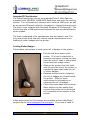
Integrated PC Architecture ............................................................. 8
Loading Visitor Badges ................................................................. 8
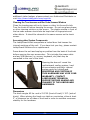
Cleaning the Touchscreen and Bar Code Scanner Window ...................... 9
Accessing other System Components................................................ 9
Dimensions ............................................................................... 9
The LobbyGuard Kiosk Stand ....................................................... 10
The LobbyGuard Kiosk Software.................................................... 11
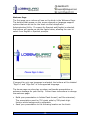
Kiosk Mode .......................................................................... 11
Event Mode .......................................................................... 25
The Kiosk Control Panel ........................................................... 28
The LobbyGuard Administrative Utility ............................................. 29
What is it? .............................................................................. 29
Accessing the Administrative Utility from your desktop .......................... 29
Accessing the Administrative Utility from the Kiosk .............................. 31
Using the Administrative Utility ...................................................... 32
Visitor Log............................................................................ 32
Reports ............................................................................... 39
Registered Visitors ................................................................. 40
Scheduled Visitors .................................................................. 45
Time and Attendance .............................................................. 52
Administration ....................................................................... 55
Appendices................................................................................ 71
Appendix A: Supplies ................................................................ 72
Visitor Badges, Frequent Visitor Passes and Other Items .................... 72
Ordering instructions and resources ............................................. 72
Appendix B: Recommended Policies .............................................. 73
Data Backup ......................................................................... 73
Kiosk Power ......................................................................... 73
Antivirus, Firewall and Windows Update Policies .............................. 73
Appendix C: Troubleshooting & Contacting Tech Support ..................... 74
Solutions to common problems ................................................... 74
-2-