1
amount of failed or passed health checks has to be reached before the state changes completely. This delay is instituted
so as to mitigate “spikes” in connection availability, but it also extends the time before the backup link can be brought
up or down.
1.
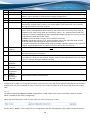
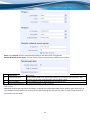
Field Name
Health Monitor Interval
Sample value
Dsb/5/10/20/30/60/120 Seconds
2.
Health Monitor ICMP HOST
Dsb/DNS/WAN GW/Custom
3.
Health Monitor ICMP Timeout
½/3/4/5/10 Seconds
4.
Attempts Before WAN Failover
1/3/5/10/15/20
5.
Attempts Before WAN Recovery
1/3/5/10/15/20
6.
DNS Servers
Auto/Custom
7.
Backup ICMP host
IPv4 address
The interval at which health checks are
performed
Where to PING for a health check. As there
is no definitive way to determine when the
connection to internet is down for good,
you’ll have to define a host whose
availability that of the internet as a whole.
How long to wait for an ICMP request to
come back. Set a higher value if your
connection has high latency or high jitter
(latency spikes).
How many checks should fail for your WAN
connection to be declared DOWN for good.
How many checks should pass for your WAN
connection to be declared UP.
Define custom DNS servers. Has meaning
when you select DNS as your Health
Monitor ICMP HOST.
This is where the address of an ICMP host,
that will be used to check the health of your
WiMAX backup link, goes. This has to be a
ping-able host.
How do I set up a backup link?
First we must pick a main link: Wired or Wi-Fi, and ensure that the link is working. Configure your WAN settings to use
that link and see whether you have internet access. If the main link is working we can continue configuring our Backup
Link.
Now, go to Backup WAN page and configure the settings to your liking. Click Save and wait until the settings are applied.
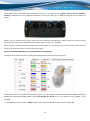
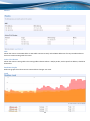
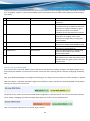
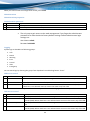
Now in the Status -> Network Information page there should be a status indication for the backup WAN. If everything is
working correctly you should see this:
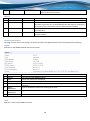
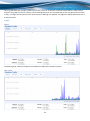
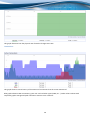
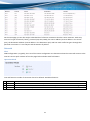
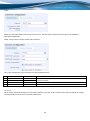
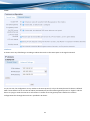
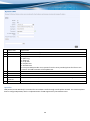
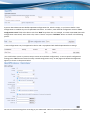
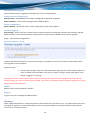
The above picture shows the status for Backup WAN configured on a wired main link. You can now simulate a downed
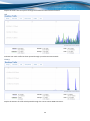
link by simply unplugging your Ethernet WAN cable. When you’ve done so you should see this:
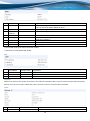
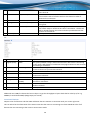
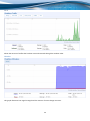
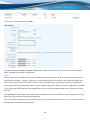
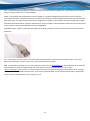
And, if you plug the cable back in you should, again, see this:
39