1
TABLE OF CONTENTS
Before You Use the
Commander
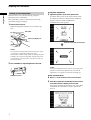
Understanding the 2 way remote system
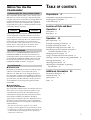
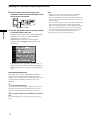
This commander operates under a 2 way remote system.
With the 2 way remote system, the component responds
to signals sent from the commander by sending additional
signals (information about the status of the component,
text data, etc.) back to the commander. Thus, operations
are performed as a result of communication between the
commander and the component.
Commander
Component
When using a home entertainment system comprised of
several components compatible with the 2 way remote
system, please restrict 2 way remote system operation to a
single component. Generally, the 2 way remote system is
turned off on all components except for the receiver.
If you would like to turn off the receiver’s 2 way remote
system, refer to “Setting up the 2 way remote” in the
operating instructions supplied with the receiver.
The COMMAND MODE
If the receiver’s COMMAND MODE and the remote’s
COMMAND MODE do not match, transmission is not
possible between the remote and the receiver. If you have
not changed the COMMAND MODE of the remote and
the receiver after purchase, it is not necessary to set the
COMMAND MODE. For details, see page 30.
Special Remarks
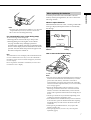
p About the LCD
Depending on the brightness of the room and the angle at
which the commander is viewed, the LCD may be
difficult to see. When this occurs, changing the angle of
the commander or adjusting the CONTRAST of the LCD
may make the LCD easier to see. When fingerprints (etc.)
get on the LCD, wipe the LCD with a soft, dry cloth. It is
recommended to use the touch pen supplied with the
commander.
Preparations 4
Compatible Components and Functions 4
Preparing the Commander 5
Screen Hierarchy 8
Location of Parts and Basic
Operations 9
Front panel 9
Rear panel 10
Operation 11
Basic Operations 11
Example: Operating a CD Player 13
Example: Operating the Tuner 14
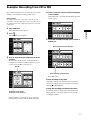
Example: Recording from CD to MD 15
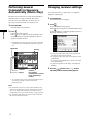
Performing Several Commands in Sequence
Automatically (Macro Play) 16
Changing receiver settings 16
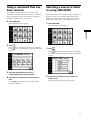
Using a command that has been learned 17
Selecting a source to listen to using 2ND ROOM
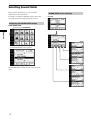
Selecting Sound Fields 18
Adjusting Sound Fields 20
Adjusting the Commander’s Operating
Environment 22
17
Additional information 31
Precautions during use 31
Troubleshooting 32
Specifications 33
Index 33
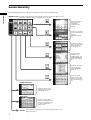
p About batteries
Life span of the batteries
This commander is different from conventional remotes in
that it makes use of a large LCD and is capable of 2 way
communication. Because of this, the batteries become
exhausted more quickly than with conventional remotes.
Under normal conditions, the batteries should last
approximately 2.5 months*. However, depending on how
the remote is used and the initial voltage of the batteries,
the actual period of use may be shorter or longer than that
mentioned above.
* This value is based on 60 key operations a day with the
backlight on. If the backlight is turned off, the batteries should
last much longer. In order to extend the life of the batteries, it is
recommended to keep the backlight off when operating the
commander in a well lit area.
3